
Theming & the styles passthrough
Tabdeck reads several CSS custom properties and lets you set them (and any other CSS variables) directly from the card config via styles — no card-mod required.
Config key: styles (top-level map of CSS property → value)
type: custom:tabdeck-card
styles:
  --tabdeck-accent: "#9c27b0"
  --tabdeck-tab-height: 64px
  --tabdeck-tab-font-size: 16px
tabs: [ ... ]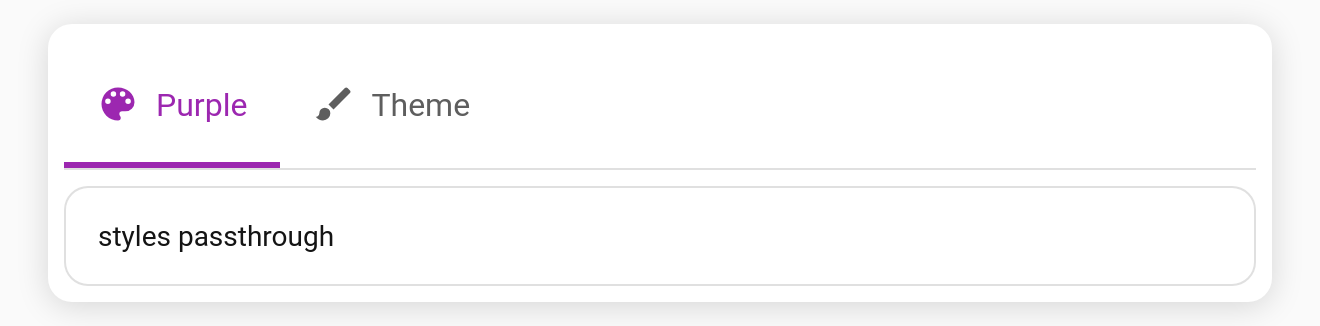
Supported CSS variables
| Variable | Affects | Default |
|---|---|---|
--tabdeck-accent | Indicator / selected tab colour | --primary-color |
--tabdeck-tab-height | Tab bar height | 48px |
--tabdeck-tab-font-size | Tab label size | 14px |
The card also honours standard HA theme variables (--primary-color, --divider-color, --card-background-color, --secondary-text-color, …).
How styles works
- Each entry is applied as a custom property (or any CSS property) on the card host.
- Entries are reconciled on config change, so removing a key clears it.
- Per-tab
accentstill overrides--tabdeck-accentfor the selected tab.
stylesis YAML/advanced — it isn't shown in the visual editor, but it's fully supported and round-trips through the code editor.
For one-line looks built from these options, see Style presets.
--tabdeck-bar-backdrop(e.g.blur(12px)) adds a frosted-glassbackdrop-filterto the bar.
Per-tab styles
A tab can carry its own styles. They're applied on top of the top-level styles while that tab is active, and removed when you switch away. Use them to give each tab its own accent, or to change any other variable per tab:
type: custom:tabdeck-card
styles:
  --tabdeck-accent: "#1f6feb"        # default for every tab
tabs:
  - name: Security
    icon: mdi:shield-home
    styles:
      --tabdeck-accent: "#d93025"    # red while Security is open
    card: { ... }
  - name: Garden
    icon: mdi:flower
    styles:
      --tabdeck-accent: "#188038"
    card: { ... }
  - name: Other                      # falls back to the blue default
    card: { ... }
Unlike a tab's accent (which only colours that tab and the indicator), per-tab styles can change anything styled by a variable: bar background, tab height, alert colour and so on.