
Quick-switch search & keyboard shortcuts
For big decks (say 20 area tabs from auto_tabs: { source: areas }) and keyboard users.
Search
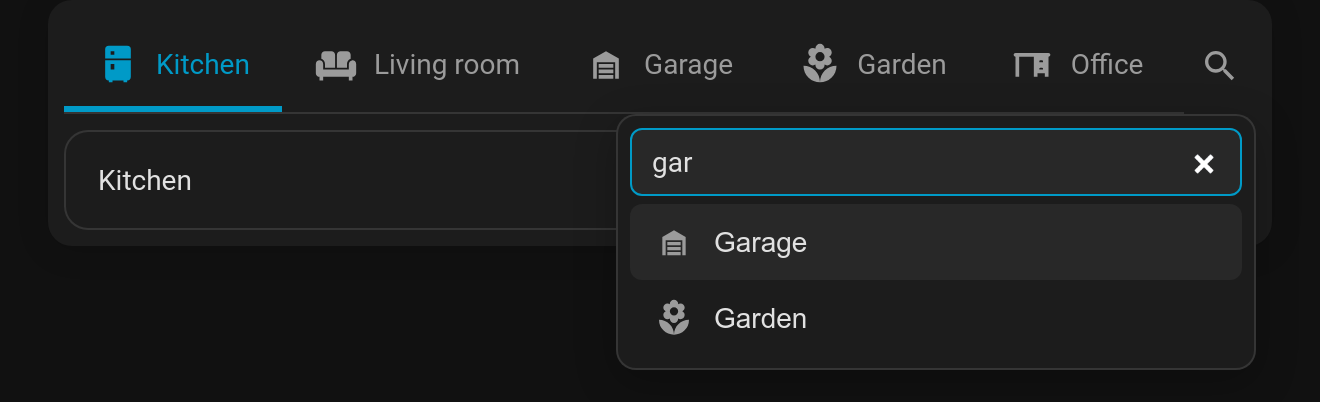
search: true adds a 🔍 button at the end of the bar. It opens a filter box: type a few letters to narrow the tabs, use ↑ ↓ to move, Enter to open the highlighted tab and Esc to close.
- Matching ignores case and accents (
cafefinds Café) and also searches subtitles. - Disabled tabs are left out. Picking an action tab runs its action.
Keyboard shortcuts
hotkeys: true enables page-wide shortcuts while the card is on screen:
| Key | Does |
|---|---|
| 1 – 9 | Open the 1st–9th visible tab |
| [ / ] | Previous / next tab (wraps with swipe_wrap) |
| / | Open search (needs search: true) |
Keys typed into text fields, keys with Ctrl/⌘/Alt, and decks that aren't visible (e.g. a nested deck in a closed tab) are ignored. If several decks on one view have hotkeys on, all of them respond, so enable it on one deck per view.
yaml
type: custom:tabdeck-card
search: true
hotkeys: true
auto_tabs: { source: areas }
tabs: []
The arrow keys, Home and End already move between tabs whenever the tab bar has focus. That needs no option.