
Convert from another card
Already have a tabbed or swiping setup? Paste it into the editor and get a Tabdeck deck back.
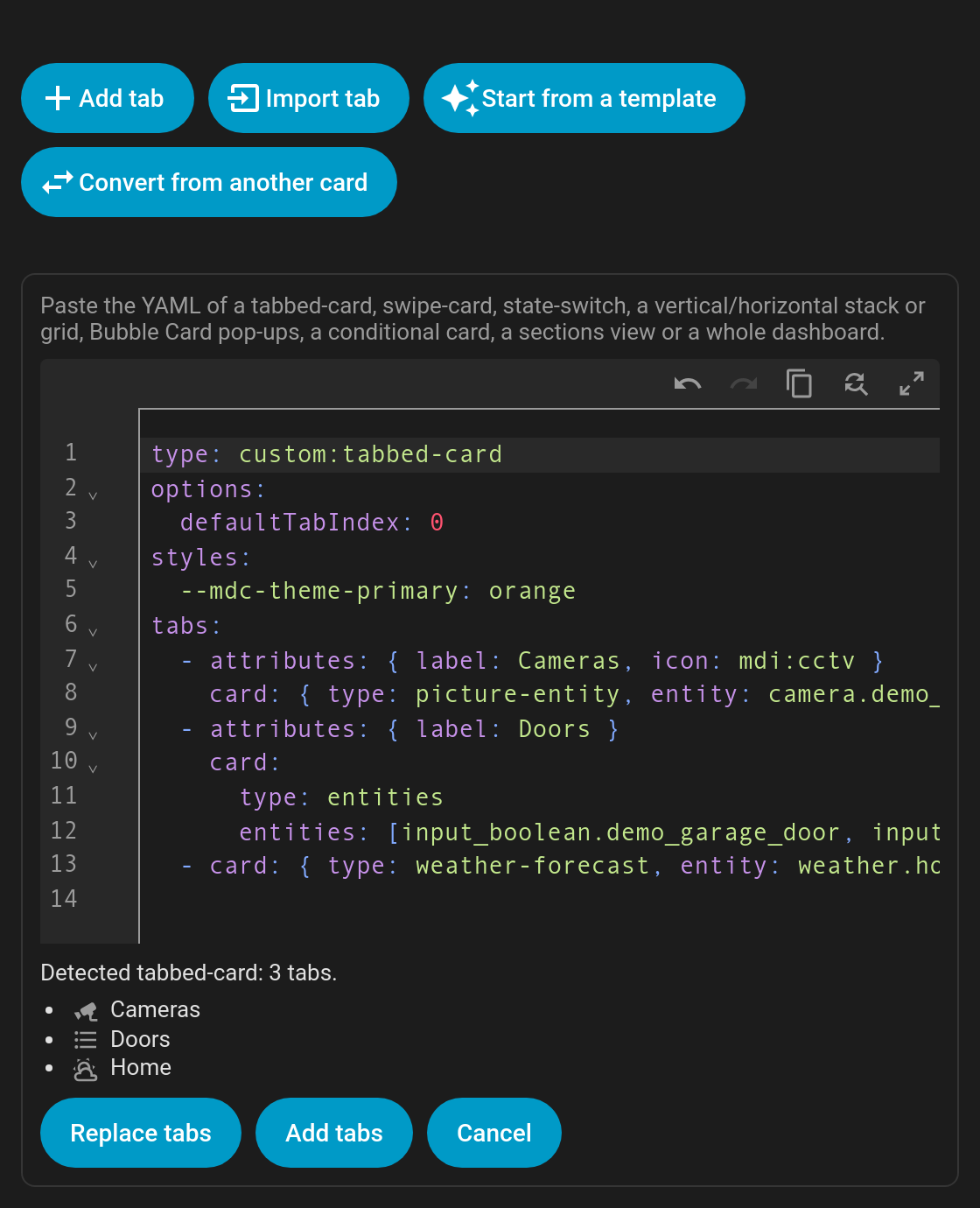
Open the card editor, click Convert from another card and paste the YAML. The editor detects the format, lists the tabs it will create, and notes anything it couldn't carry over exactly. Then choose Replace tabs or Add tabs.
Supported inputs
| Paste… | You get |
|---|---|
custom:tabbed-card (kinghat) | One tab per tab, using attributes.label / icon. options.defaultTabIndex → default_tab; --mdc-theme-primary → --tabdeck-accent. |
custom:swipe-card | One tab per card, with swipe and swipe_mouse on. start_card → default_tab, loop → swipe_wrap, autoplay.delay → auto_rotate. |
custom:state-switch | One tab per state. For an entity, each tab gets auto_select on its state and the deck starts on the current state. entity: hash → remember: url. The transition is mapped. |
| Bubble Card pop-ups | A list of vertical stacks that each start with a pop-up → one tab per pop-up (name and icon from the pop-up, content from the rest of the stack). |
vertical-stack / horizontal-stack / grid | One tab per card. If the stack has heading cards, each heading starts a tab holding the cards below it. |
conditional cards | The inner card becomes the tab and the conditions become the tab's visibility (legacy {entity, state} conditions are upgraded). Cards with their own visibility keep it as tab visibility too. |
| A sections view | One tab per section, named by the section's heading card. |
A whole dashboard (views:) | One tab per view, using the view's title and icon. |
| A list of cards, or any single card | One tab per card. |
| A Tabdeck card or a list of tabs | Passed through as-is. |
Tab names come from the card's title / name / heading, else the first entity's friendly name, else the card type. Icons come from the card's icon, else a sensible icon for the card type or entity domain.
Replace tabs also applies the carried-over options (default_tab, swipe, transition, …). Add tabs only appends the tabs.