
Edit mode helpers
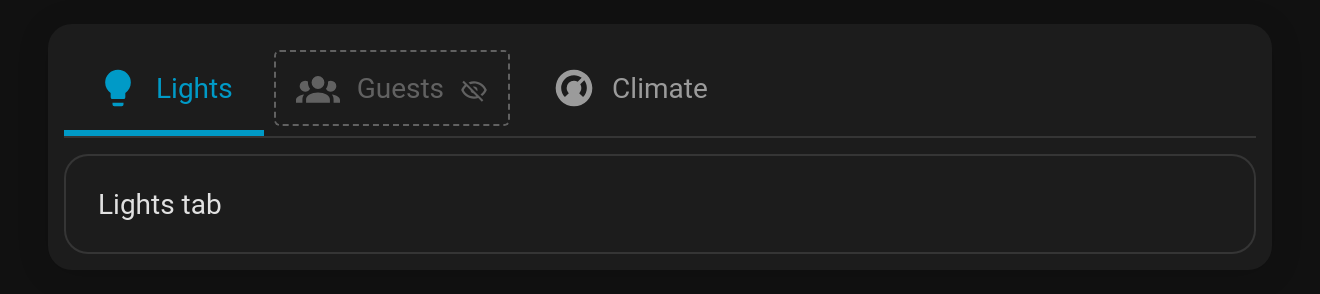
While you edit the dashboard (and in the card editor's live preview), Tabdeck shows the tabs that are normally hidden by their visibility conditions. They appear faded, with a dashed outline and an eye-off marker, so you can still open them and check their content. Once you leave edit mode they disappear again.
Config key: edit_mode_reveal (boolean, default true)
Behaviour
- Hidden tabs are revealed only while Home Assistant reports edit mode (
editMode/preview); a normal dashboard view is unchanged. auto_rotateandidle_returnpause while editing, so the deck doesn't spin away from the tab you're working on. Their timers restart when you finish editing.- Picks made while editing are not remembered (
remember: browser | url | entity), because they may point at a tab that's hidden in normal use. - Entering or leaving edit mode keeps you on the same tab where it still exists.
- Turn it off with
edit_mode_reveal: false(also a toggle in the visual editor) to see exactly what your users see while editing.
yaml
type: custom:tabdeck-card
edit_mode_reveal: false   # keep hidden tabs hidden, even while editing
tabs: [ ... ]