
Hide inactive badges
Only show a badge when it actually has something to report. With hide_inactive_badge, badges that resolve to an empty/zero/off value are hidden — so a count badge appears only when it's greater than zero.
Config key: hide_inactive_badge (top-level boolean) · Default: false
yaml
type: custom:tabdeck-card
hide_inactive_badge: true
tabs:
  - name: Inbox
    icon: mdi:email
    badge: sensor.unread        # shows "5"
    card: { ... }
  - name: Done
    icon: mdi:check
    badge: sensor.done_count    # "0" -> badge hidden
    card: { ... }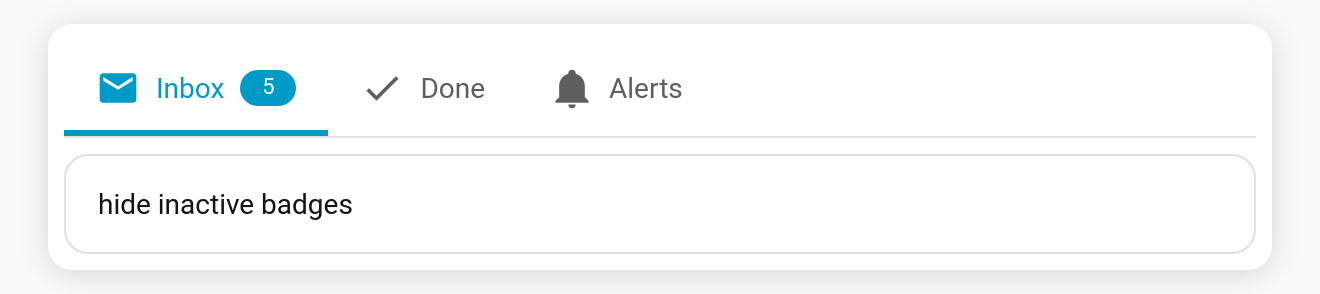
Behaviour
- A badge is hidden when its resolved value is one of (case-insensitive):
"",0,off,false,no,none,unavailable,unknown,closed. - Applies in text badge mode. (The
dotmode already only shows for active values.) - Toggle it with the Hide inactive badges switch in the visual editor.