Sharing a Template
Sharing Between Dashboards covers reusing your own templates across your own dashboards. This page is about handing one to somebody else — a forum post, a Discord message, a gist — and taking one somebody hands you.
A template card’s visual editor has a Share tab. The top half writes the template out as YAML; the bottom half takes YAML in.
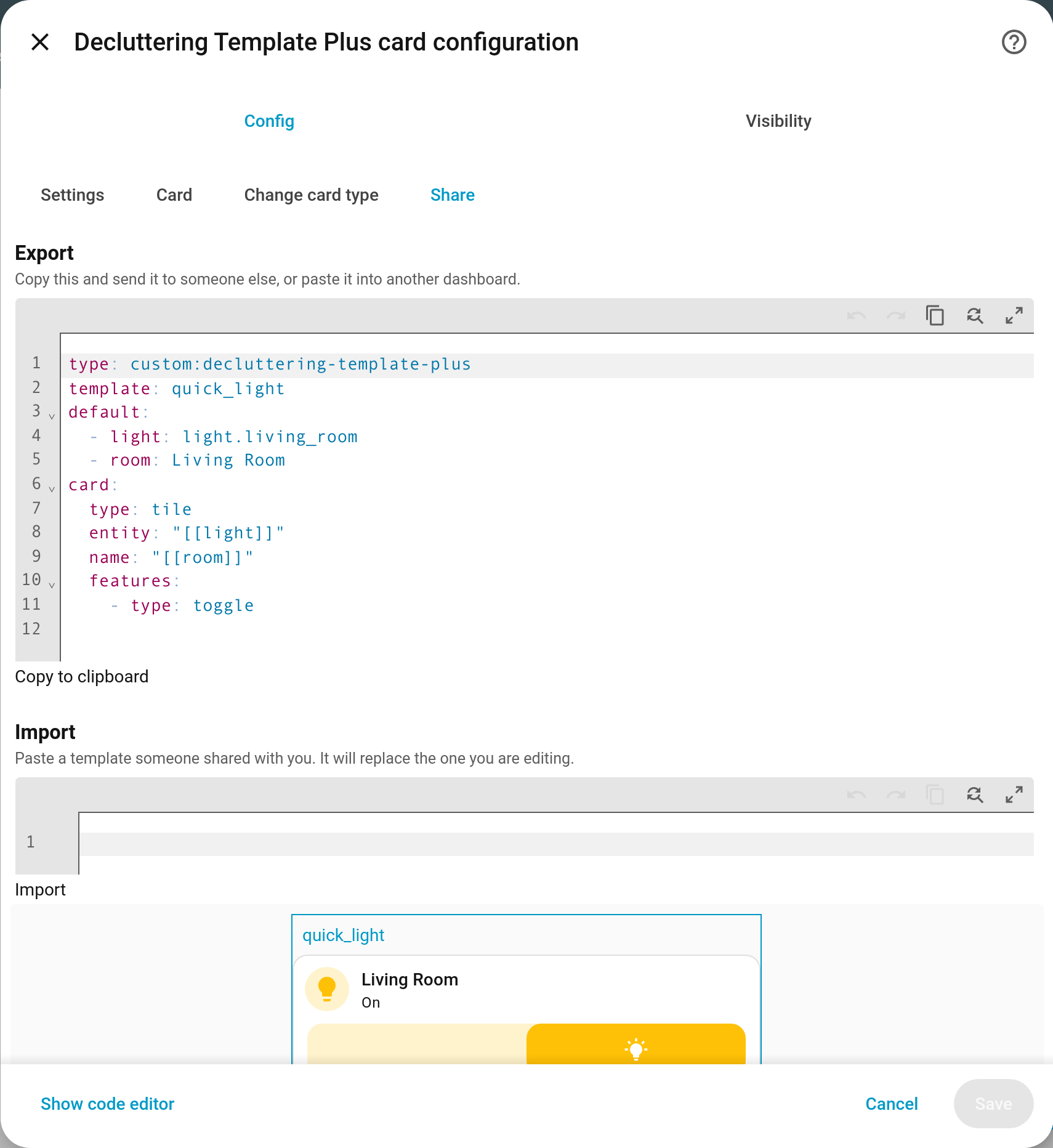
Exporting
Open the template card in the editor, go to Share, and copy what is in the Export box. Copy to clipboard does it in one click.
A template is only ever as portable as the things it is built from, and YAML on its own cannot tell you what those are — so the export says, in comments:
# Requires these custom cards: custom:mushroom-template-card
type: custom:decluttering-template-plus
template: room_tile
default:
  - entity: sun.sun
card:
  type: custom:mushroom-template-card
  entity: "[[entity]]"
includes:
  my_button_base:
    type: custom:decluttering-template-plus
    template: my_button_base
    card:
      type: button
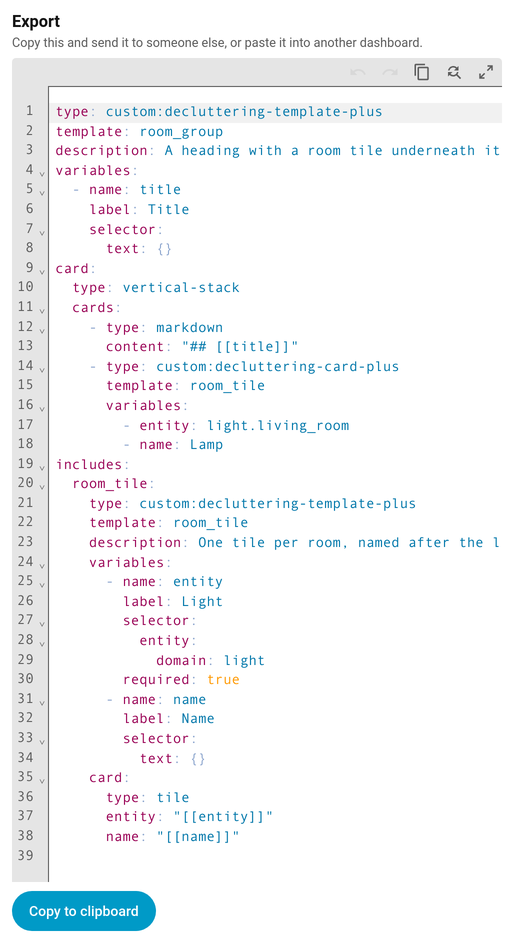
What that tells the recipient:
- Custom cards they need installed. This one will not render without Mushroom.
- The other templates it calls come with it (v1.6.0+), under
includes:, and so do the templates those call. A bundle arrives working rather than with a note about what else to find. Before v1.6.0 an export carried exactly one template and named the rest in a comment; anything that still cannot be found is named that way now.
Those lines are ordinary YAML comments. They can be pasted back in as they are, and Home Assistant ignores them.
A template’s description: and its
variable declarations travel with the export, so a template that
describes itself arrives self-documenting — whoever imports it gets the same labels, helper
text and entity pickers you do. Worth doing before sharing one.
The exported block keeps its
type:, so it is also just a card. Anyone can paste it straight into a view in the raw configuration editor instead of using the Share tab at all.
Importing
Paste what you were given into the Import box and press Import.
- It replaces the template card you are editing, so start from a new Decluttering Template Plus card unless you mean to overwrite an existing one.
- Nothing is written to your dashboard until you save the card, in the usual way. Cancel and nothing happened.
- If the incoming template has the same name as one you already have, the editor says so and waits for you to press Import a second time. Two templates sharing a name means only one of them is ever used, so this is deliberately a two-step.
- Or press Import as a copy (v1.6.0+), which takes the next free name —
room_tile_2— and leaves the one you already had untouched. Useful when you want to compare the two rather than choose blind.
If the paste is not a template at all, or is not valid YAML, the editor says that instead of importing anything.
What travels and what does not
| Travels | Does not |
|---|---|
The template’s type, name, default values and content |
Entities it points at — the recipient’s light.kitchen is not yours |
Its style block |
Custom cards it uses — they install those themselves |
The templates it calls, under includes: (v1.6.0+) |
Anything it calls that could not be found — named in a comment instead |
| A note naming custom cards it needs |
See also
- Sharing Between Dashboards — the same templates across your own dashboards
- Visual Editors — the rest of the editor
- Defining Templates — what a template is made of