Rows
A row template holds a single row of an
Entities card — an entity row, a
button row, a conditional row, a divider, a section header, or a custom row.
decluttering_templates:
  temperature_row:
    row:
      entity: '[[entity]]'
      name: '[[name]]'
      icon: '[[icon]]'
    default:
      - icon: mdi:thermometer
Use it inside an Entities card’s entities: list:
- type: entities
  title: Temperatures
  entities:
    - type: custom:decluttering-card-plus
      template: temperature_row
      variables:
        - entity: sensor.living_room_temperature
        - name: Living Room
    - type: custom:decluttering-card-plus
      template: temperature_row
      variables:
        - entity: sensor.kitchen_temperature
        - name: Kitchen
    - type: custom:decluttering-card-plus
      template: temperature_row
      variables:
        - entity: sensor.bedroom_temperature
        - name: Bedroom
    - type: custom:decluttering-card-plus
      template: temperature_row
      variables:
        - entity: sensor.living_room_humidity
        - name: Living Room humidity
        - icon: mdi:water-percent
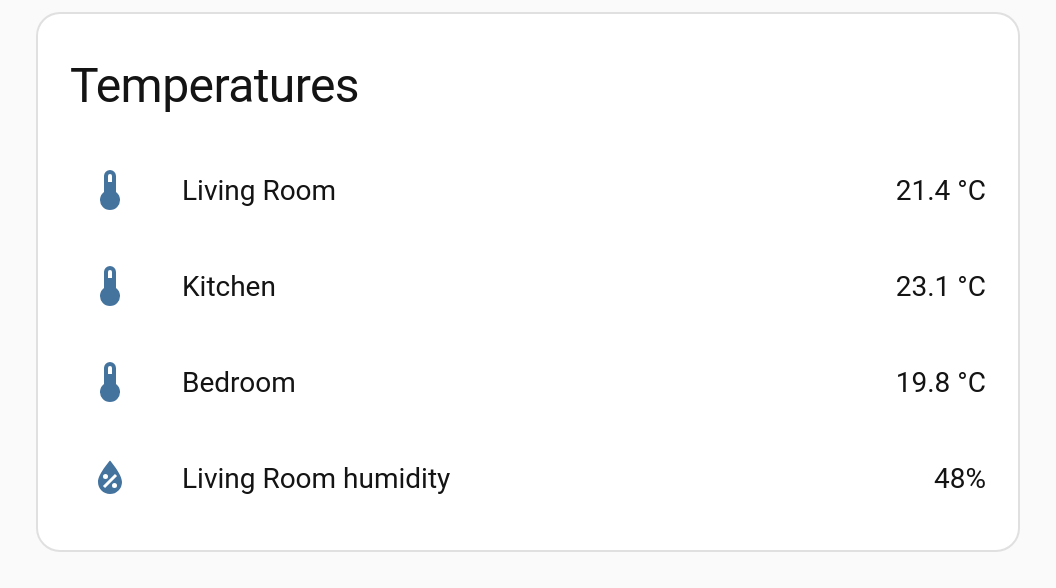
The last row overrides the default icon; the others take mdi:thermometer.
Adding one through the UI
There is no row picker entry for this — add an Entities card, switch to Show code editor, and add the row by hand as above. Everything else about the Entities card continues to work normally.
Only where rows are drawn
A row template goes where Home Assistant draws entity rows: an Entities card’s entities:
list, or another card that uses the same row code. It does not work in another card’s own
settings lists, such as Advanced Camera Card’s cameras:, because that card reads the list
itself and nothing draws it as rows. To vary a list like that, pass it into a
card template as a variable instead. See
In other cards’ elements: lists for an example.
Row types
row: takes any Entities card row. A plain entity row needs no type: at all — just an
entity. Anything else names its type:
decluttering_templates:
  # plain entity row
  plain_row:
    row:
      entity: '[[entity]]'
      name: '[[name]]'

  # button row
  action_row:
    row:
      type: button
      entity: '[[entity]]'
      name: '[[name]]'
      action_name: '[[action]]'
      tap_action:
        action: toggle
    default:
      - action: Toggle

  # conditional row
  when_on_row:
    row:
      type: conditional
      conditions:
        - entity: '[[entity]]'
          state: 'on'
      row:
        entity: '[[entity]]'
        name: '[[name]]'

  # divider
  line:
    row:
      type: divider
Editing rows visually
The template editor offers a Row tab when the template’s content type is set to Row, giving you Home Assistant’s own row editor for the body. See Visual Editors.
Reference
| Key | Where | Description |
|---|---|---|
row: |
template | The row configuration, with [[variables]] |
default: |
template | Fallback variable values |
style: |
template | CSS to inject — see Styling |
template: |
instance | Name of the template |
variables: |
instance | Values to substitute |