Installation
Requirements
- Home Assistant 2024.7 or newer, with a Lovelace dashboard. The Marketplace (HACS) will not offer the card below that.
- Badges need the sections view type, so Home Assistant 2024.8 or newer.
You do not need card-mod, lovelace-card-templater or any other helper — see
Styling.
Option 1 — Marketplace (recommended)
- Open Settings → Marketplace.
- Search for Decluttering Card Plus.
- Click Install.
- Reload your browser with a hard refresh (Ctrl+Shift+R, or Cmd+Shift+R on a Mac).
The Marketplace registers the dashboard resource for you.

Home Assistant older than 2026.11
Before 2026.11 the Marketplace was HACS, a separate install with its own entry in the sidebar. Open HACS, search for Decluttering Card Plus, click Download and hard refresh, or use this link. If you already installed the card through HACS, upgrading Home Assistant moves it into the Marketplace for you, and it keeps updating from there.
Option 2 — manual
- Download every
.jsfile attached to the latest release. From v2.4.0 the card comes as several files:decluttering-card-plus.js, which is the one you register, and the pieces it loads beside it - the editors and each translation are their own files, so a dashboard only downloads what it shows. -
Put them all in
<config>/www/on your Home Assistant machine. This fetches the lot:cd /config/www curl -s https://api.github.com/repos/tempus2016/decluttering-card-plus/releases/latest \ | grep -o 'https://[^"]*\.js"' | tr -d '"' | xargs -n1 curl -sLOThe pieces’ names change with every release, so the old ones can be deleted after an update: anything named
decluttering-card-plus.<something>-<code>.jsthat the new release did not bring. -
Register it as a dashboard resource.
In the UI: Settings → Dashboards → ⋮ → Resources → + Add resource, URL
/local/decluttering-card-plus.js, type JavaScript module.In YAML mode, in your
ui-lovelace.yaml:resources: - url: /local/decluttering-card-plus.js type: module - Hard refresh your browser.
/config/wwwis served at/local. If you have just created thewwwfolder, restart Home Assistant — the static path is only registered at startup, so until you do the file will 404.
Confirming it loaded
Open your dashboard, press F12 and look at the browser console. The card announces itself:
 DECLUTTERING-CARD-PLUS
   Version 2.9.0
The number is whichever version you installed.
You can also check the card picker. Edit any dashboard, click + Add card and search for declutter:
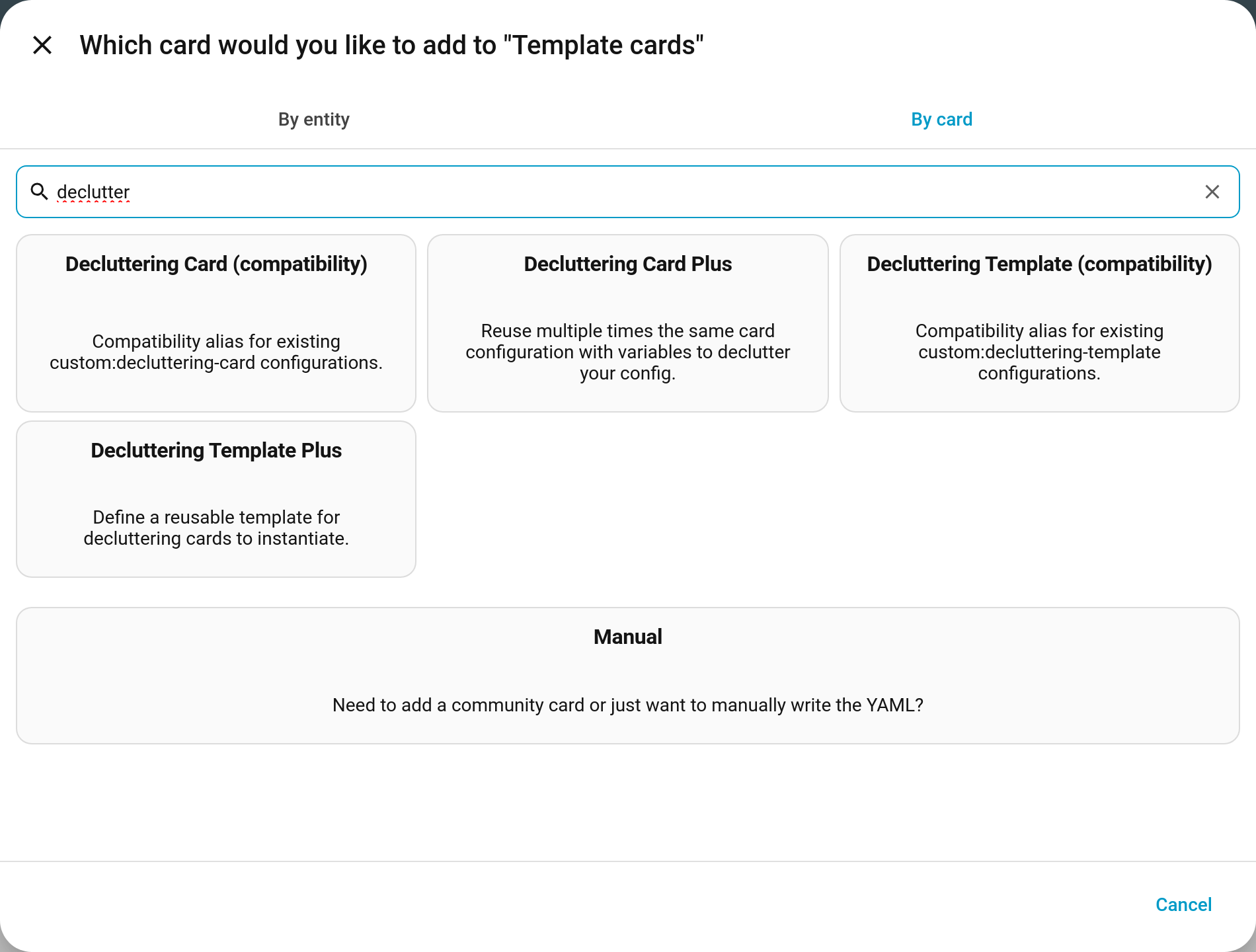
You should see five entries:
| Entry | What it is |
|---|---|
| Decluttering Card Plus | Use a template. This is the one you will add most often. |
| Decluttering Card Plus: health (v2.9.0+) | A card listing every card on the dashboard with something to look at. See The Health Card and Badge. |
| Decluttering Template Plus | Define a template as a card. |
| Decluttering Card (compatibility) | Alias so existing custom:decluttering-card config keeps working. |
| Decluttering Template (compatibility) | Alias for existing custom:decluttering-template config. |
The sixth tile in the picture, House light, is a template marked publish:; a fresh
install has none of those yet.
The two compatibility entries only appear when the original decluttering-card is not
installed — see Migrating from decluttering-card.
Decluttering Card Plus is in the + Add badge dialog of a sections view too, since the
same card serves badges. Once you have templates, any marked
publish: (v1.14.0+) gets an
entry of its own in the picker as well.
If nothing shows up at all, go to Troubleshooting.