Quick Start
Five minutes, one template, three cards. By the end you will have a reusable room card and will know how to add a fourth room with two lines.
You will need the card installed and a couple of entities to point at. Swap in your own entity IDs as you go.
Step 1 — open the raw configuration editor
Templates live at the root of a dashboard’s configuration, alongside views:. The
easiest way to get there is the raw editor.
- Open the dashboard you want to work on.
- Click the pencil (top right) to start editing.
- Click the ⋮ menu (top right) → Raw configuration editor.
You are now looking at the whole dashboard as YAML.
Step 2 — add a template
At the very top of the file, above views:, add:
decluttering_templates:
  room_light:
    card:
      type: tile
      entity: '[[light]]'
      name: '[[room]]'
      features:
        - type: toggle

views:
  # …your existing views, untouched…
What each part does:
| Part | Meaning |
|---|---|
decluttering_templates: |
The container. All your templates live under here. |
room_light: |
The template’s name. You choose it; it must be unique on the dashboard. |
card: |
This template holds a card. See Cards and the other content types. |
'[[light]]' |
A variable. It gets replaced when you use the template. |
Quote variables that stand alone on a line.
entity: '[[light]]'is right,entity: [[light]]is not valid YAML —[starts a list. See Variables.
Click Save, then Close the raw editor.
Step 3 — use it
Still in edit mode, click + Add card, search for declutter, and pick Decluttering Card Plus. Then click Show code editor at the bottom left and enter:
type: custom:decluttering-card-plus
template: room_light
variables:
  - light: light.living_room
  - room: Living Room
You will see the card render live in the preview as you type.
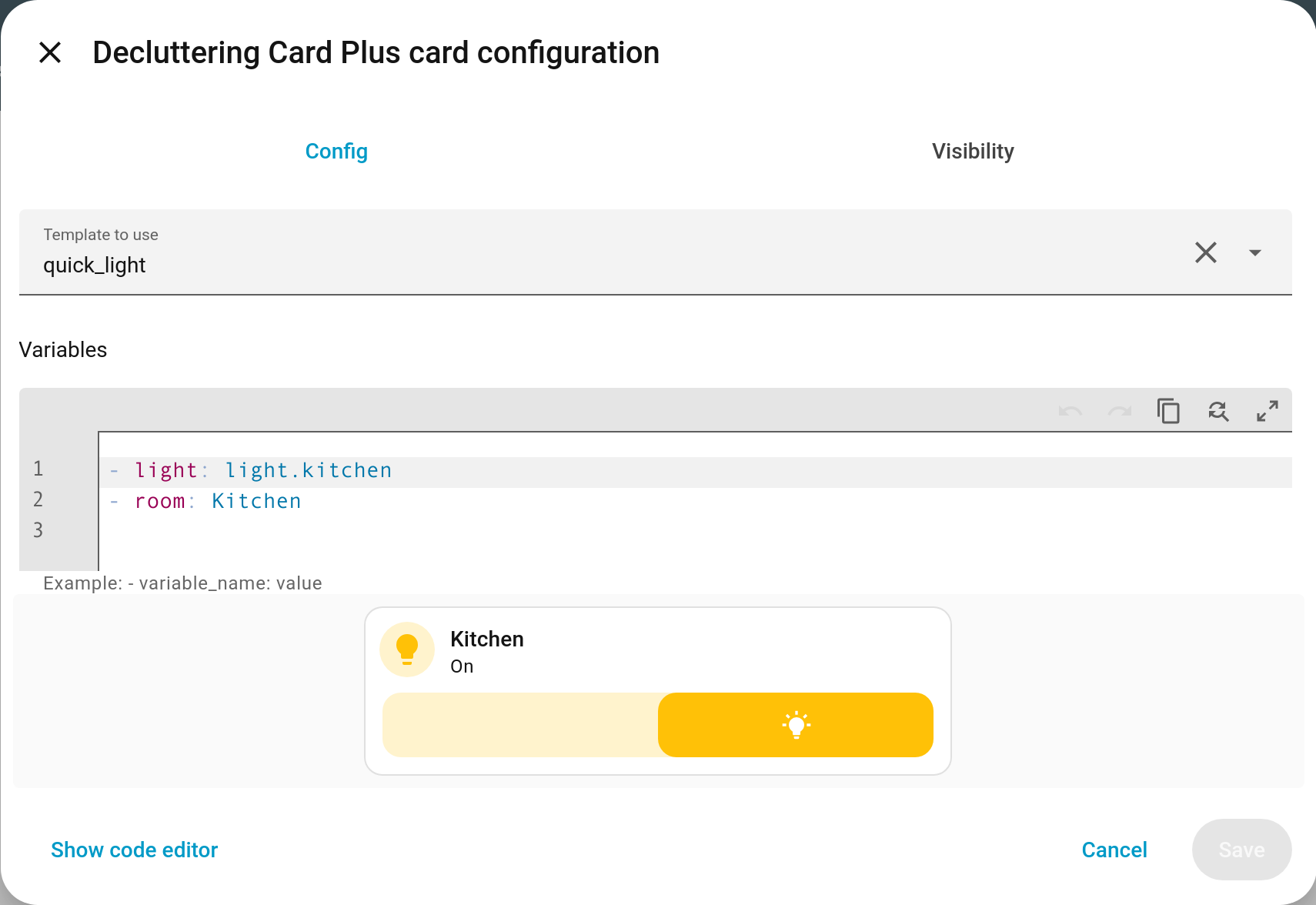
Click Save.
variables:is a list — every entry starts with-. A plain mapping will be rejected with “The list of variables must be an array of key and value pairs”.
Step 4 — do it again
Add two more cards the same way, changing only the variables:
type: custom:decluttering-card-plus
template: room_light
variables:
  - light: light.kitchen
  - room: Kitchen
type: custom:decluttering-card-plus
template: room_light
variables:
  - light: light.bedroom
  - room: Bedroom
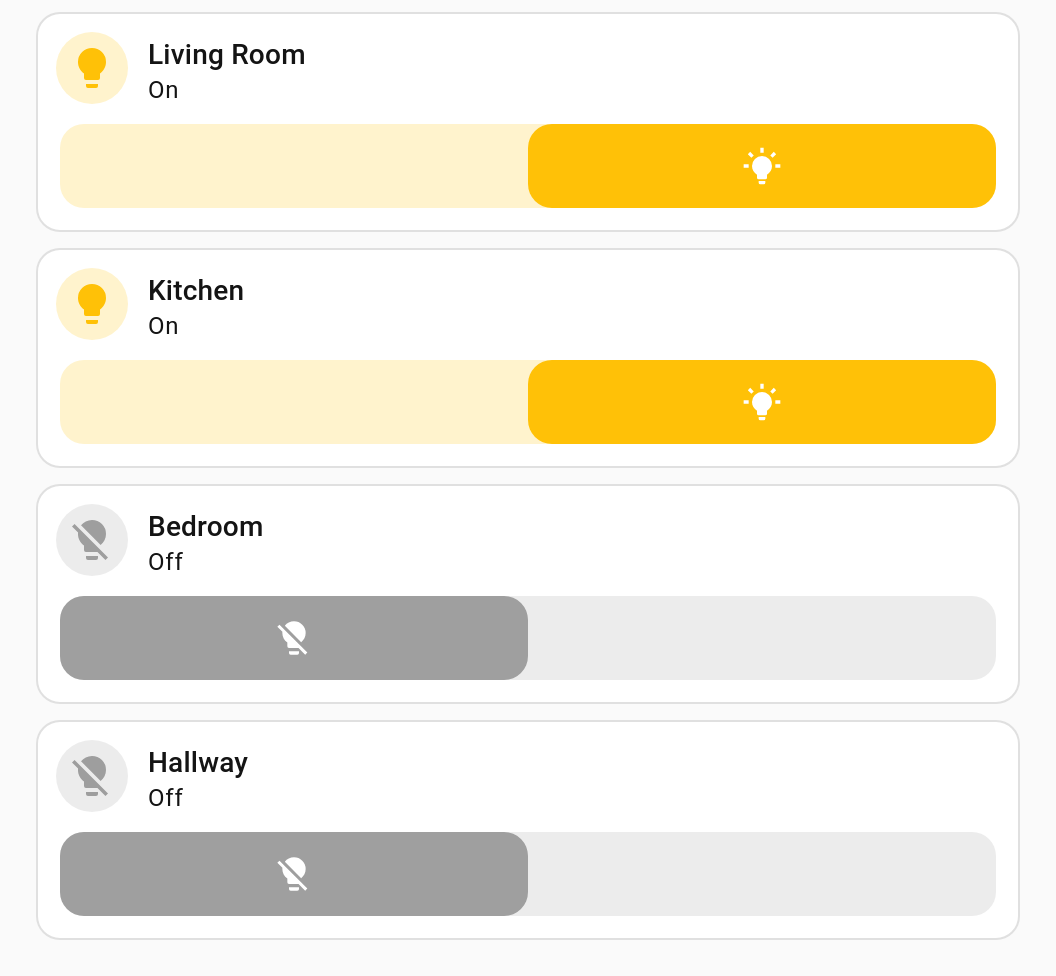
Step 5 — see the point
Go back to the raw configuration editor and add an icon to the template — one edit:
decluttering_templates:
  room_light:
    card:
      type: tile
      entity: '[[light]]'
      name: '[[room]]'
      icon: mdi:lightbulb          # <- added once
      features:
        - type: toggle
Save. All three cards change together. That is the whole idea.
Where to go next
| Next step | Page |
|---|---|
| Give variables sensible fallbacks so you can pass fewer of them | Variables |
| Build templates by clicking instead of typing | Visual Editors |
| Template badges, entity rows or picture-elements icons | Badges, Rows, Elements |
| Use the same templates on several dashboards | Sharing Templates Between Dashboards |
| Copy a finished example | Recipes |