Weekly Goals
Personal weekly goals let each child pick their own target for the week: "I want to earn 120 points this week." Their card shows how close they are, and reaching the goal pays a bonus once a week. Children who choose their own goal tend to care more about hitting it than one set for them.
New in v7.0.0
Turning It On
TaskMate panel → Settings → Personal weekly goals
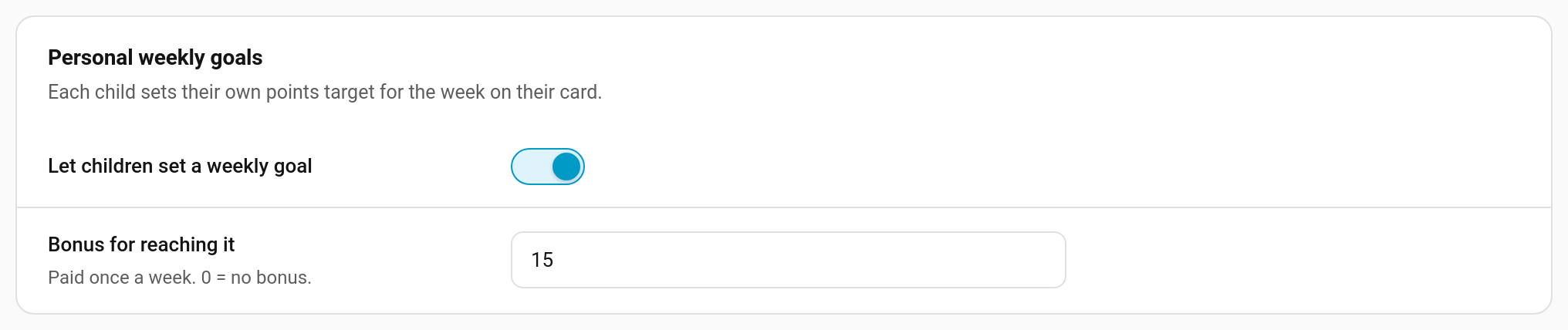
| Setting | Key | Default | Description |
|---|---|---|---|
| Let children set a weekly goal | weekly_goal_enabled |
off | Shows the goal on every child card and allows goals to be set |
| Bonus for reaching it | weekly_goal_bonus |
10 |
Points paid once a week when a child reaches their goal. 0 = no bonus, just the satisfaction of hitting it |
The bonus is the same for every child. It's a fixed amount, not a percentage of the goal, so setting a huge goal doesn't pay more.
Setting a Goal
Once goals are on, a child without one sees Set a goal for this week on their card ("Pick how many points you want to earn. Reach it for +15!"). Tapping it, or Change once a goal is set, opens the goal sheet.
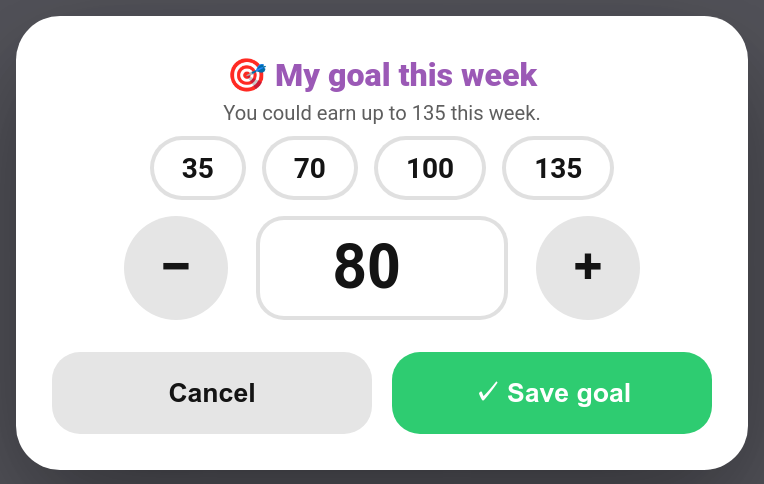
The sheet tells the child how many points they could earn this week from their chores, and offers quick picks at a quarter, half, three quarters and all of that. They can also type a number or use − / +, then tap Save goal.
A goal carries over from week to week until it is changed, so a child who likes their goal doesn't have to set it every Monday. Setting the goal to 0 clears it.
Parents can set or change a goal for a child with the set_weekly_goal service.
Progress and the Bonus
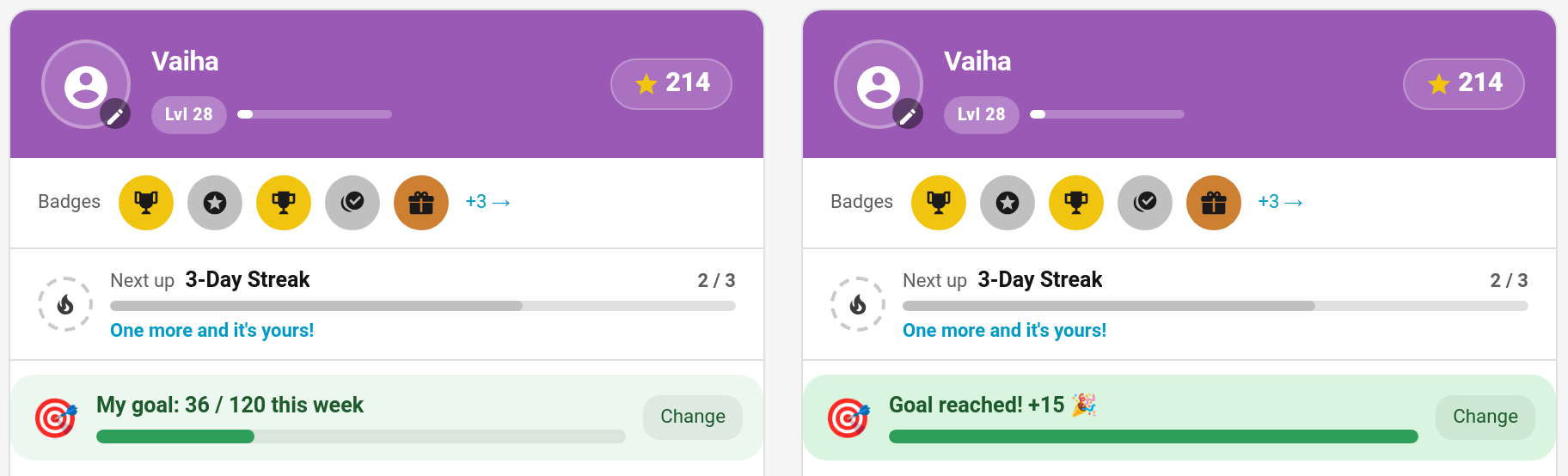
The goal widget sits above the chore list: My goal: 36 / 120 this week, with a progress bar. It counts the points from chores approved since Monday (bonus sub-tasks aside), the same figure the rest of the card uses for the week.
When the week's points reach the goal:
- the child gets the bonus ("Weekly goal reached 🎯 (120)" in their history), and the widget turns green: Goal reached! +15 🎉
- the Weekly goal reached notification goes out, if it's on
The goal is checked once a minute, and again straight away when a goal is saved, so setting a goal you have already passed this week counts at once.
Once a week
The bonus is paid at most once per child per week (weeks start on Monday). Lowering the goal after reaching it, or clearing it and setting it again, doesn't pay a second bonus that week.
If points are taken back
If a completion that counted towards the goal is undone, rejected or un-approved, and that drops the week's points below the goal, the bonus is taken back too ("Weekly goal reversed (120)"), along with its share of the leaderboard tally. The goal can then be reached, and paid, again later in the week.
A child's own undo checks that they still have the bonus in hand before letting them undo.
Card Option
The widget appears on the child card in every design while weekly goals are on. To hide it on one card:
type: custom:taskmate-child-card
entity: sensor.taskmate_overview
child_id: 8e16ad66b23f404e
show_weekly_goal: false
In the editor it's Show my weekly goal.
Notification
Weekly goal reached (off by default; switch it on under Notifications): "🎯 Vaiha reached their weekly goal of 120 Points — +15 bonus!" It can go to the child, parents or both.
It fires the taskmate_weekly_goal_reached event whether or not the notification is on, with child_id, child_name, target, earned, bonus and points_name. On the child's event entity it shows as Weekly goal reached.
Service
| Service | Fields | Description |
|---|---|---|
taskmate.set_weekly_goal |
child_id, target (0–100,000) |
Set a child's weekly points goal. 0 clears it |
While goals are on, each child's entry in sensor.taskmate_overview's children attribute carries weekly_goal: target, bonus, and, once a target is set, earned and reached.
Weekly Goals or Weekly Targets?
They're different features and can be used together:
| Weekly goals | Weekly targets | |
|---|---|---|
| Set by | The child (or a parent) | A parent, per chore |
| Measures | Points earned this week | How many times one chore is done this week |
| Reward | One family-wide bonus per week | A bonus per chore target |
Related
- Weekly Targets — per-chore weekly counts
- Bonus Points — streak and perfect-week bonuses
- Child Undo Window — how undo interacts with bonuses
- Virtual Pets — another long-running motivator
- Notifications