Repairs and Diagnostics
TaskMate now uses two standard Home Assistant tools to help when something isn't working. Repairs tell you when part of your setup can't work any more (a phone removed from the Mobile App, a renamed entity, a chore left assigned to nobody) in the place Home Assistant users already check. The diagnostics download gives you a file to attach to a bug report that shows how TaskMate is configured without saying who your family are.
New in v7.0.0
Repairs
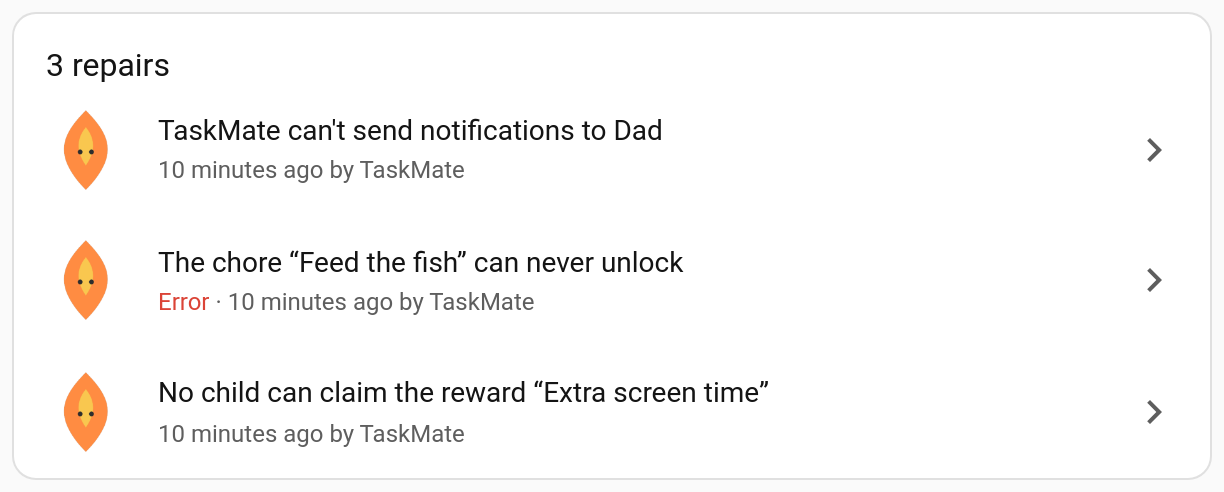
TaskMate's issues appear under Settings → System → Repairs, alongside any from Home Assistant itself, and the Settings menu shows a badge while there are any. Each one says what's wrong and where to fix it in the TaskMate panel.
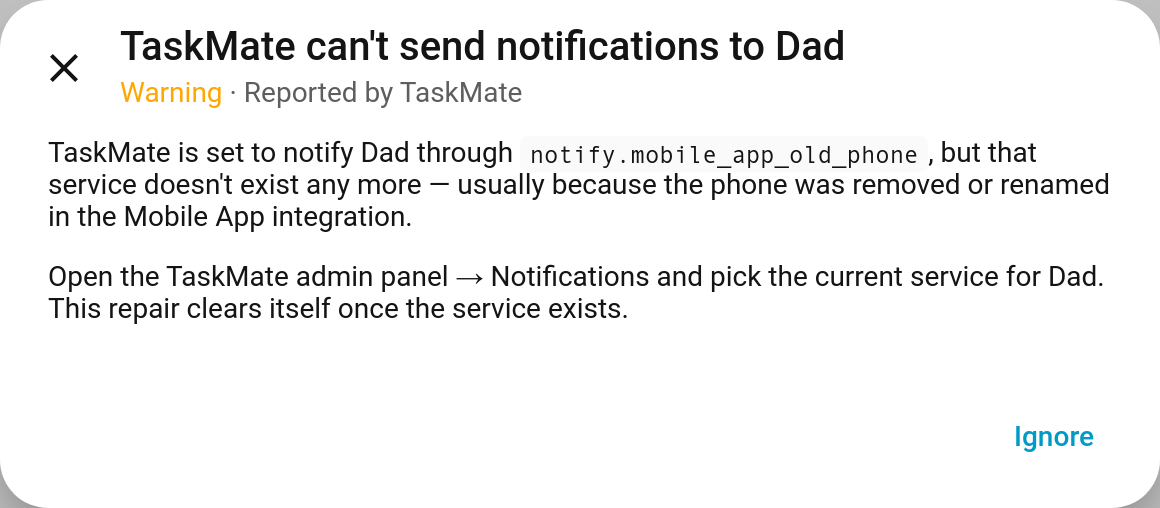
There's nothing to click to "fix" in the repair itself: make the change it describes and the issue clears itself on TaskMate's next update. Ignore hides one you don't want to deal with.
What's checked
| Repair | Severity | Raised when |
|---|---|---|
| TaskMate can't send notifications to {who} | Warning | A notify service TaskMate is set to use no longer exists: the old global notify setting, any parent recipient that's switched on, or a child's own notify service. Usually a phone removed or renamed in the Mobile App integration. Fix under Notifications |
| {Child}'s profile uses a missing entity | Warning | A child's availability, unavailability, presence or picture entity no longer exists, so the feature relying on it won't work. Fix under Children |
| "{Chore}" uses a missing entity | Warning | An enabled chore's visibility or weather entity no longer exists, so that check is skipped. Fix under Chores |
| The chore "{Chore}" is assigned to nobody | Warning | Every child an enabled chore was assigned to has been removed, so nobody will ever see it. Assign it or delete it under Chores |
| The chore "{Chore}" can never unlock | Error | An enabled chore depends on a chore that has been deleted, so it stays locked for ever. Remove the missing dependency under Chores |
| No child can claim the reward "{Reward}" | Warning | Every child a reward was meant for has been removed. Choose who it's for, or delete it, under Rewards |
| The reward "{Reward}" unlocks nothing | Warning | A reward is set to switch on an entity that isn't on TaskMate's unlock allowlist any more, so nothing happens when it's approved. Add it back under Settings, or edit the reward |
Each problem is raised once, however often it's checked: one repair per notify service, per chore or per reward, never a pile of duplicates. Disabled chores aren't checked.
When checks run
Checks start once Home Assistant has finished starting and TaskMate has been loaded for two minutes. Notify services and entities from other integrations can take a while to appear after a restart, and a repair that flashed up at every boot would be worse than none. After that, every TaskMate update re-checks. Unloading TaskMate removes all its repairs.
The panel's Insights → Health page still gives the full picture of your setup on demand; repairs are for the things that need attention now.
Diagnostics
Settings → Devices & services → TaskMate → ⋮ → Download diagnostics
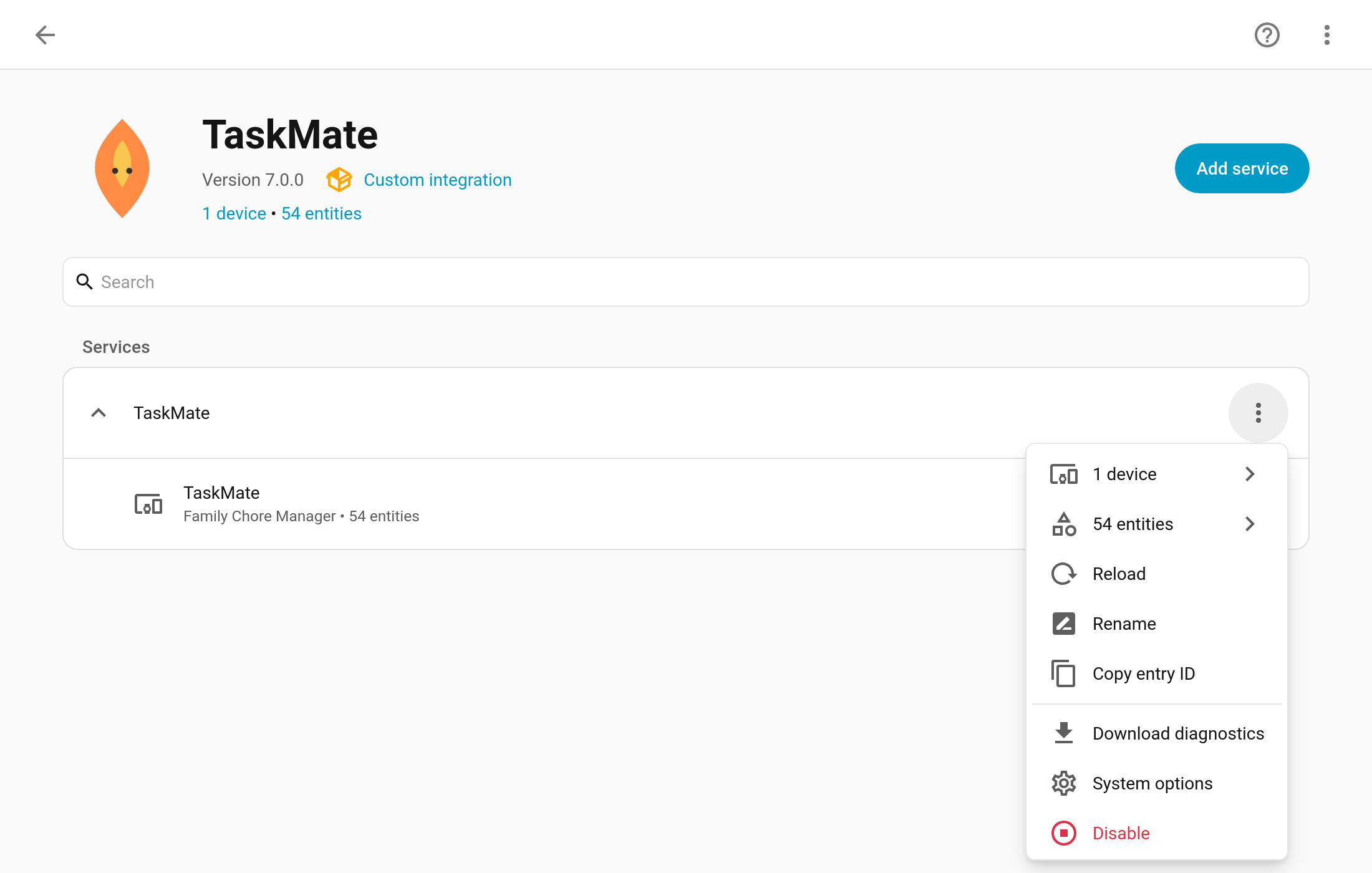
This downloads a JSON file to attach to a bug report on GitHub. It describes how TaskMate is set up, which is what's needed to reproduce most problems, and leaves out anything that says who your family are.
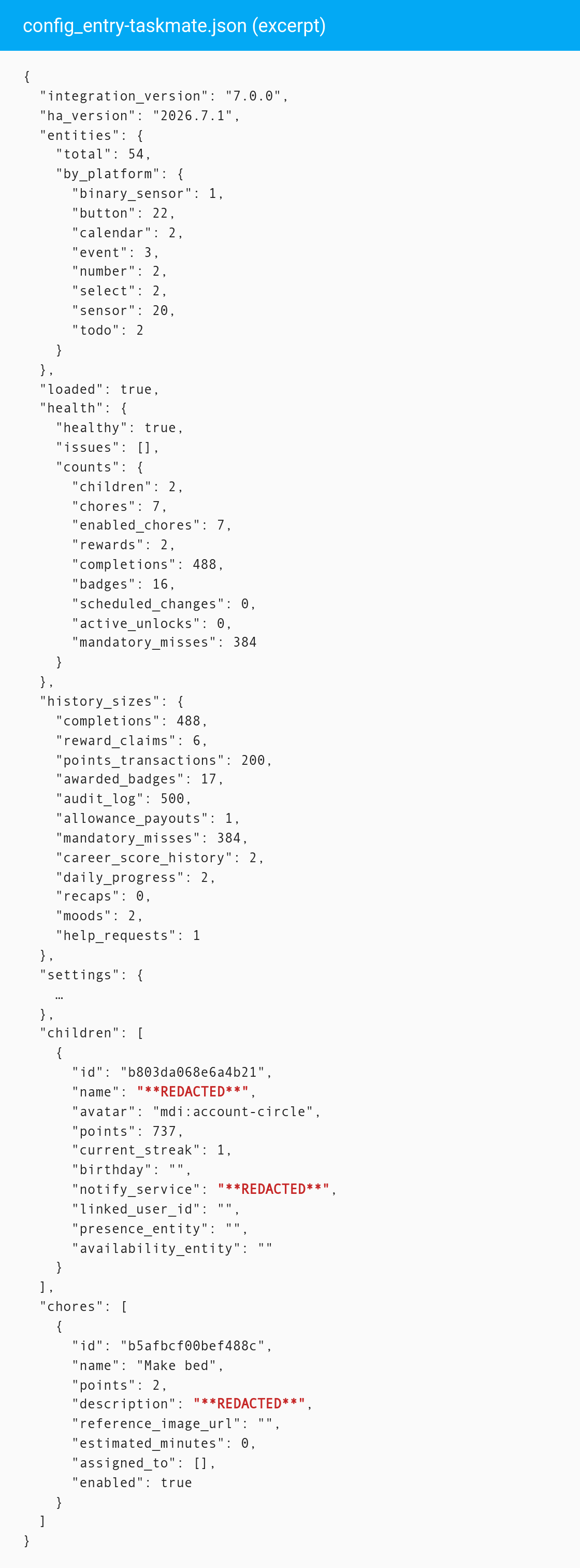
What's in it
| Section | Contents |
|---|---|
| Versions | TaskMate and Home Assistant versions |
| Entry | The config entry's version and options (its title is redacted) |
| Entities | How many TaskMate entities there are, by platform |
| Status | Whether TaskMate is loaded and its last update succeeded |
| Health | The same health report as Insights → Health |
| History sizes | How many completions, reward claims, points transactions, awarded badges, audit log entries, allowance payouts, mandatory misses, career score history entries, daily progress entries, recaps, moods and help requests are stored. Only the counts, never the records |
| Settings | Every TaskMate setting, with personal values redacted |
| Children | Each child's configuration and counters, with the ID kept so it lines up with chores' assigned_to |
| Chores and rewards | Their configuration with names kept ("the Bins chore never shows" is what a bug report is usually about) |
| Notifications | The notification configuration, with targets redacted |
What's left out
These are replaced with **REDACTED** wherever they appear:
- children's names, and every other name except chore and reward names
- linked Home Assistant users and parent user IDs
- notify services (who gets pushes, and on which phone)
- picture, presence, availability and unavailability entities
- birthdays
- photos: evidence photo URLs, chore and reward pictures, reference photos
- descriptions, notes and reasons
- calendar subscription tokens, kiosk PINs and NFC tag IDs
History itself (completions, transactions, moods, help requests and so on) is never included, only how many there are.
Have a look through the file before you share it; it's plain JSON.
Related
- Troubleshooting — common problems and fixes
- Insights — the Health page
- Notifications — notify services and recipients
- Chore Dependencies