Quantity Chores
Some jobs come in amounts, not just "done": read 20 pages, swim 10 lengths, practise for 15 minutes. A quantity chore asks the child how many they did, and pays the chore's points per unit. Reading 12 pages of a 1-point-per-page chore earns 12.
New in v7.0.0
Setting Up a Quantity Chore
TaskMate panel → Chores → edit a chore
| Field | Default | Description |
|---|---|---|
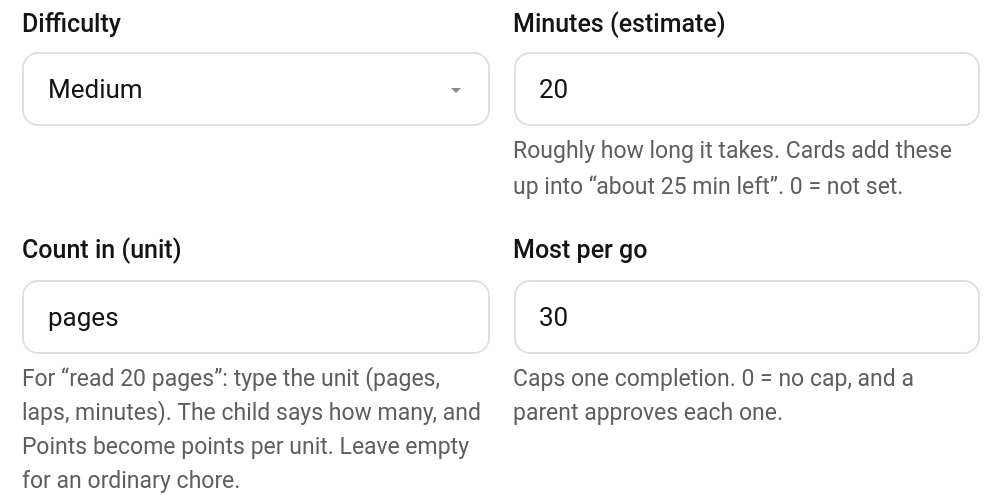
| Count in (unit) | empty | The unit, e.g. pages, laps, minutes (up to 30 characters). Setting it turns the chore into a quantity chore, and Points become points per unit. Leave it empty for an ordinary chore |
| Most per go | 0 |
The most one completion can count (up to 10,000). 0 = no cap, and then every completion needs a parent's approval |
Quantity doesn't apply to open-ended or timed chores: those already have their own way of setting the points, so the unit is ignored on them.
These fields are set in the panel; the add_chore and update_chore services don't take them.
How Points Are Worked Out
The chore's points are multiplied by the number of units, and the usual adjustments then apply as for any chore, such as the difficulty multiplier and early or late timing.
| Chore | Points | Child says | Earns |
|---|---|---|---|
| Reading (pages, max 30) | 1 | 12 pages | 12 |
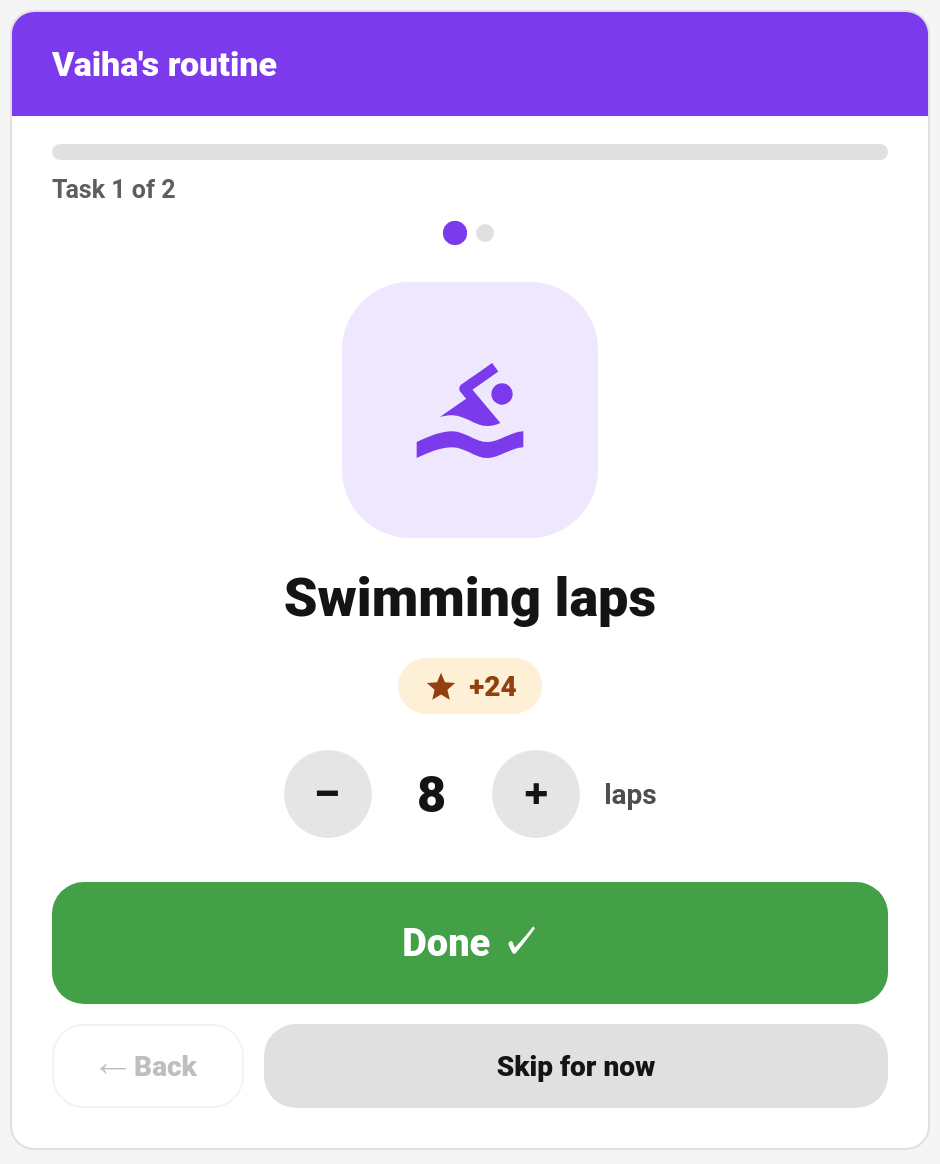
| Swimming laps (laps, max 20) | 3 | 8 laps | 24 |
| Piano practice (minutes, no cap) | 1 | 25 minutes | 25, after a parent approves |
A number over Most per go is capped to it.
Completing One
On the child card
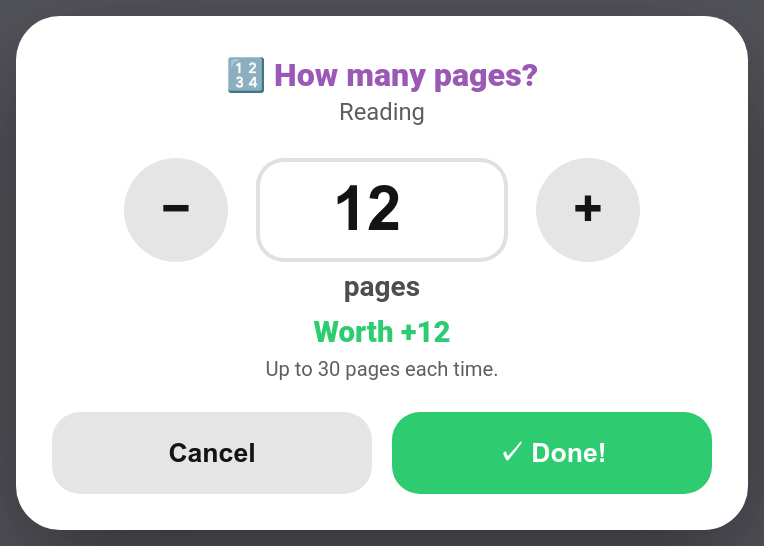
The chore shows a 🔢 pages: +1 each tag. Tapping it opens the sheet above: a big number with − / + (or type it), the unit, what it's worth ("Worth +12") and the limit. Done! sends it.
On the routine card
The routine card shows a − / + stepper with the unit under the chore, and the points update as the child counts. Done sends the number.
Everywhere else
A tile or a single tap can't ask "how many?", so these leave quantity chores to the child card:
- the kiosk card marks them to be finished on the child's own card
- the chore board shows them but doesn't tick them off
- the sticker chart leaves them off
- watch complications and voice commands point the child to their card
A child can't complete a quantity chore without saying how many: TaskMate refuses it ("Say how many pages you did."), however the completion arrives. A parent ticking it off without a number counts it as 1.
Approval
A quantity chore follows the chore's normal approval setting, with one rule on top: a chore with no cap (Most per go = 0) always goes to a parent for approval when a child does it, because the child chose the number. Set a cap if you're happy for it to approve itself.
Approvers see the amount on every completion: 🔢 12 pages on the Approvals card and the parent dashboard card, and the points shown are the total.
Service
taskmate.complete_chore takes an optional quantity (0–10,000): how many units were done. It's required from a child on a quantity chore.
action: taskmate.complete_chore
data:
  chore_id: 3648f6de211f44a7
  child_id: 8e16ad66b23f404e
  quantity: 12
In the chores sensor a quantity chore carries quantity_unit and, if set, quantity_max; completions carry quantity.
Related
- Chores — every chore field
- Open-Ended Chores — the child describes the job and suggests a price
- Timed Tasks — points by the minute with a real timer
- Estimated Minutes — how long a chore takes