Raffles
Some prizes are too big to price as a reward: a trip to the trampoline park, a new game, choosing the takeaway. Put one up as a raffle instead. Children spend points on tickets, each ticket is one chance, and at the draw time one ticket is picked at random. The more tickets a child holds, the better their odds, but anyone with a ticket can win.
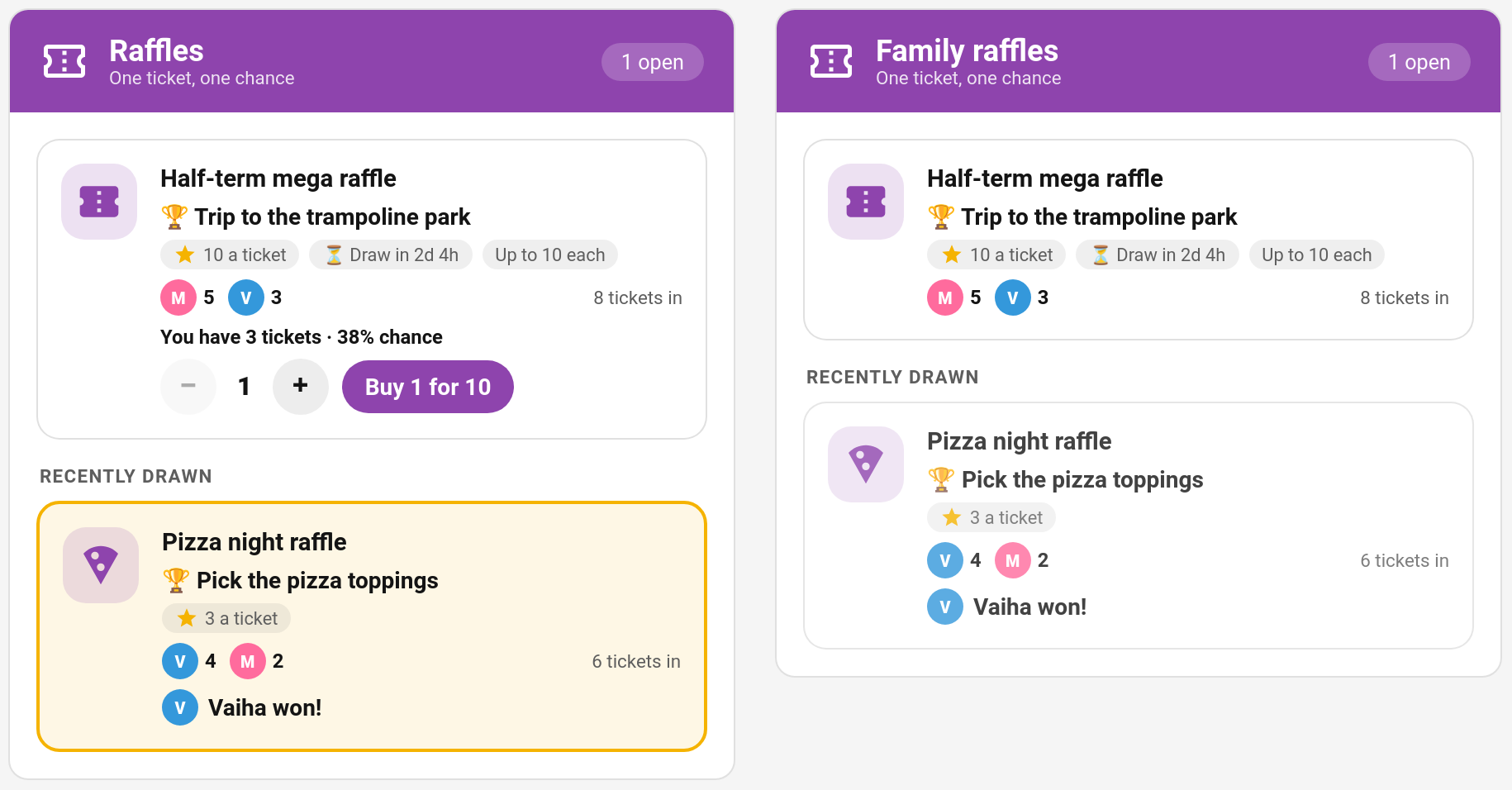
New in v7.0.0
How It Works
- You set up a raffle in the TaskMate panel: a prize, a fixed ticket price, an optional limit per child, and when it is drawn.
- Children buy tickets with their points on the Raffles card, as many as they like up to the limit.
- At the draw time TaskMate picks the winner. The chance of winning is weighted by tickets: a child holding 3 of 8 tickets has a 3 in 8 chance.
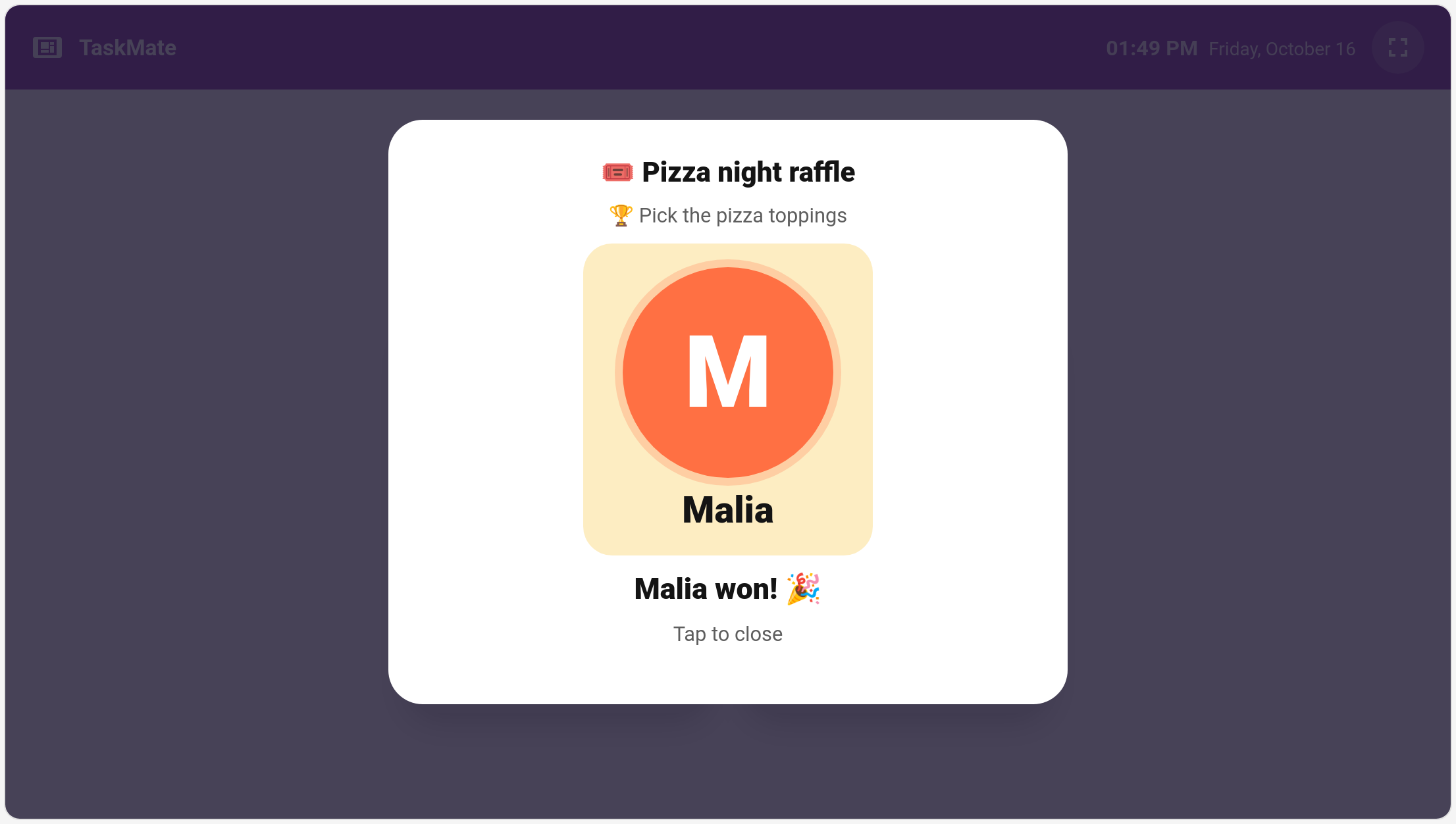
- The winner is revealed with a spinning draw on the Raffles card and the kiosk, and the Raffle drawn notification goes out.
- You hand over the prize. The raffle doesn't pay any points; the prize is whatever you promised.
Ticket prices never change once a raffle is open. There's no dynamic pricing: a ticket costs the same for the last buyer as for the first.
Setting Up a Raffle
TaskMate panel → Raffles → New raffle
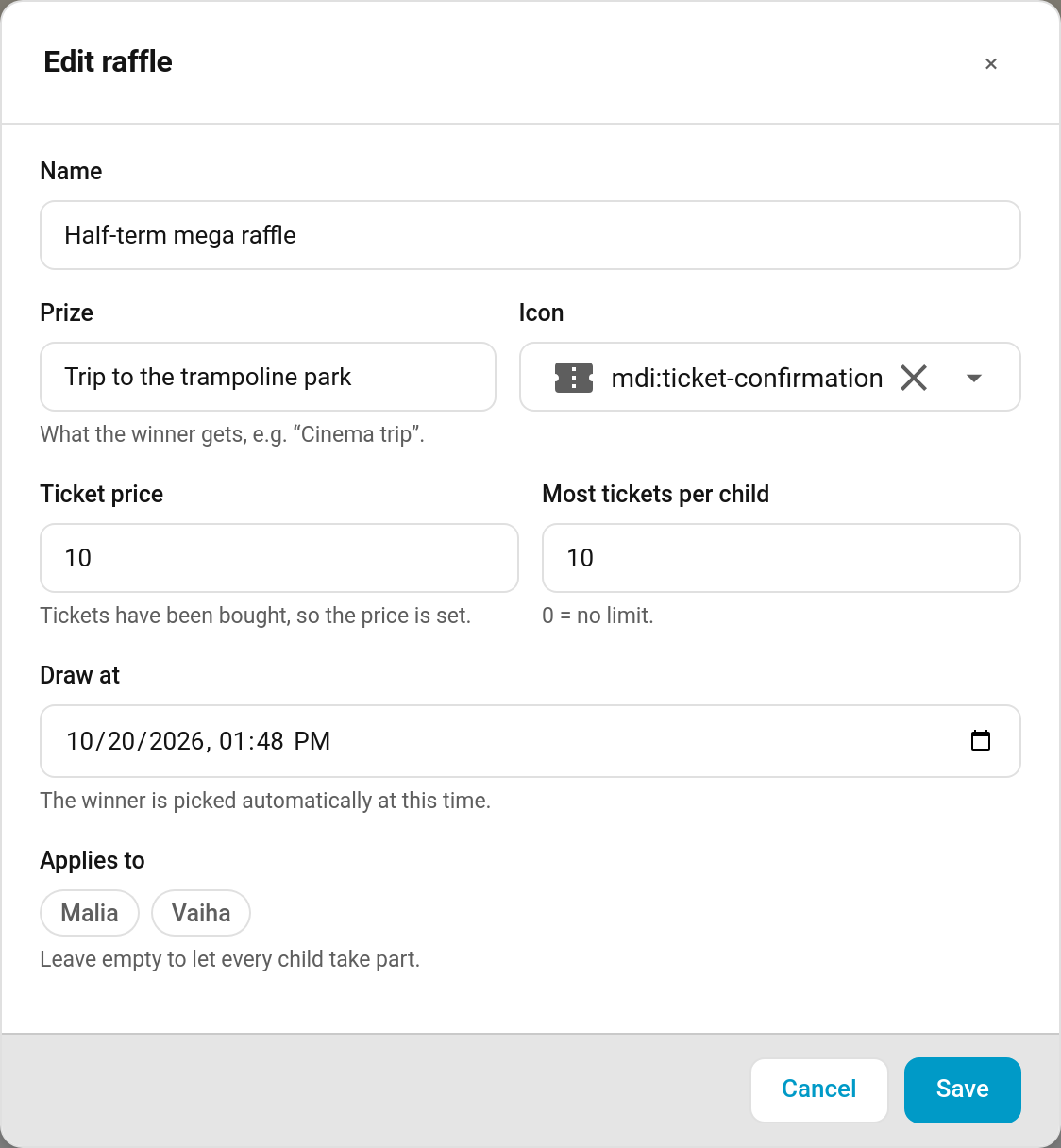
| Field | Default | Description |
|---|---|---|
| Name | — | What the raffle is called, e.g. "Half-term mega raffle" |
| Prize | — | What the winner gets, e.g. "Cinema trip" |
| Icon | ticket | Any MDI icon |
| Ticket price | — | Points per ticket (1–100,000). Fixed for the whole raffle: once anyone has bought a ticket the price can't change |
| Most tickets per child | 0 | 0 = no limit. Otherwise up to 100 |
| Draw at | — | When the winner is picked. Must be in the future |
| Applies to | everyone | Which children can take part. Leave empty for every child |
A raffle can be edited while it is open (apart from the price once tickets are sold). Drawn and called-off raffles can't be changed.
The Raffles Page
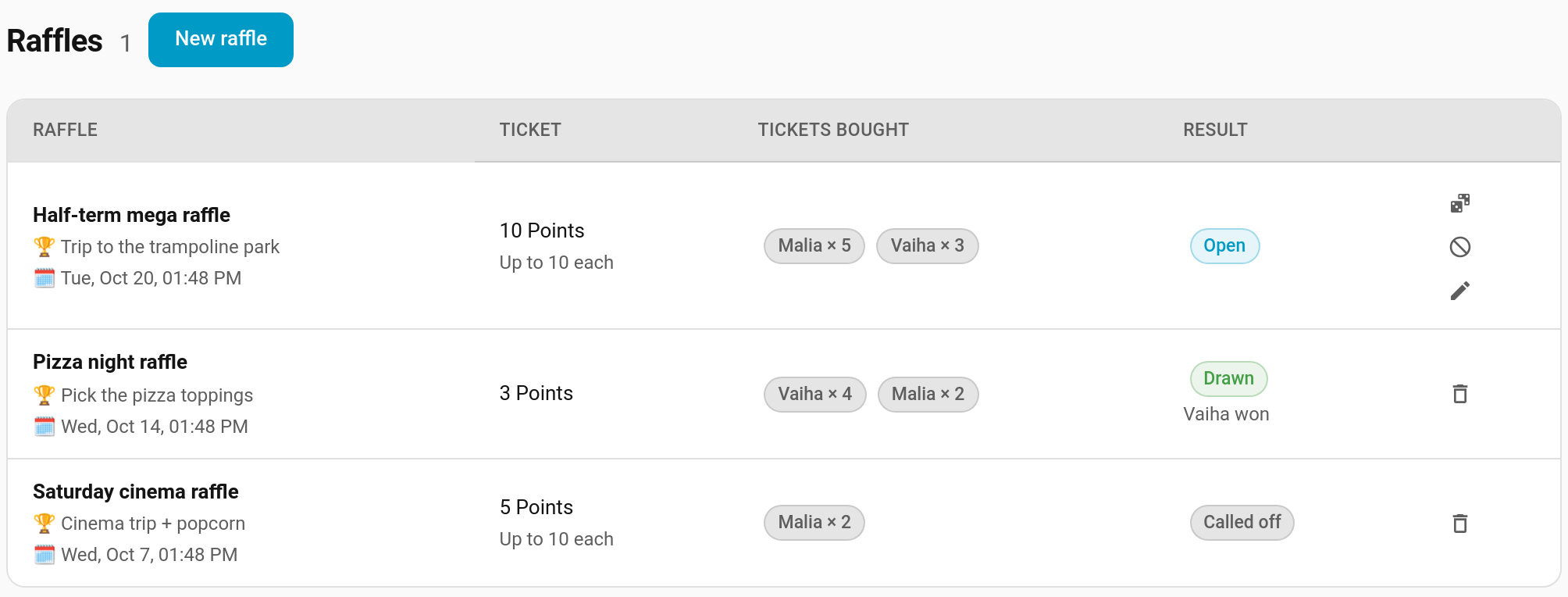
The Raffles page (under Spend) lists every raffle with its ticket price, who has bought how many tickets, and the result. Open raffles have three actions:
| Action | What it does |
|---|---|
| Draw now | Picks the winner straight away instead of waiting for the draw time |
| Call off | Cancels the raffle and refunds every ticket in full |
| Edit | Opens the raffle editor |
Drawn and called-off raffles can be deleted. Deleting an open raffle that has tickets calls it off (and refunds everyone) first.
Buying Tickets
On the Raffles card, a child picks how many tickets with − / + and taps Buy 3 for 30. The card shows how many tickets they hold and their chance of winning ("You have 3 tickets · 38% chance").
- Tickets can only be bought while the raffle is open and before its draw time.
- A child can't go over the raffle's ticket limit ("That's your lot").
- Points already promised to a reward waiting for approval can't be spent on tickets.
- Each purchase is a normal points transaction ("Raffle tickets ×3: Half-term mega raffle") in the child's history.
The Draw
At the draw time (checked once a minute), or when you tap Draw now:
- One ticket is picked at random. Every ticket has the same chance, so a child's odds are their share of all the tickets sold.
- A raffle nobody entered closes with no winner ("Nobody entered").
- Called-off raffles refund every ticket: "Raffle called off: Half-term mega raffle" appears in each child's history.
Drawn and called-off raffles stay on the cards under Recently drawn for 24 hours, then leave the cards. They stay in the panel's list.
The reveal
When a raffle has just been drawn, the Raffles card plays the draw: the names spin through, one for each ticket so the odds show, slow down and land on the winner. The winning child's own card says You won! 🎉.
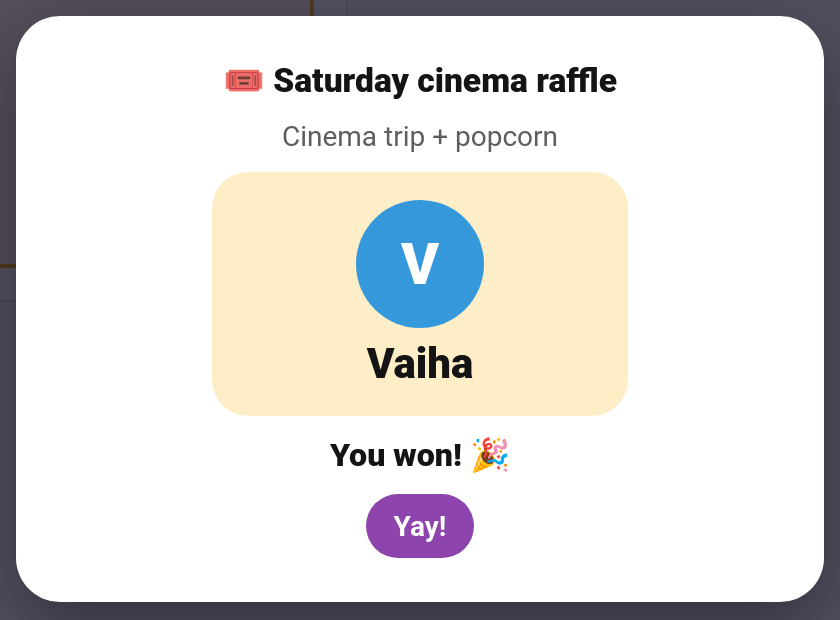
Each device plays a draw once, and only in the first few minutes after it.
On the wall tablet
The kiosk card spins the draw full-screen too, so the whole family can watch. It's on by default; turn off Show raffle draws in the kiosk card editor (show_raffle_draws: false) to skip it. When the kiosk sits idle in ambient mode showing the family's day, open raffles are listed there too.
The Raffles Card
Edit dashboard → + Add Card → TaskMate Raffles
type: custom:taskmate-raffle-card
entity: sensor.taskmate_overview
child_id: 8e16ad66b23f404e   # leave out for the family view
| Option | Type | Default | Description |
|---|---|---|---|
entity |
string | required | The TaskMate overview sensor |
child_id |
string | everyone | The child who buys tickets on this card. Leave it out (Everyone in the editor) for a family view on a shared screen: everyone's tickets, no buying |
title |
string | Raffles |
Card title |
show_reveal |
boolean | true |
Play the spinning draw when a raffle is drawn |
card_design |
string | global default | classic, playroom, console, cleanpro, accessible or graphite |
header_color |
string | #8e44ad |
Header banner colour |
A child's card only lists raffles open to that child.
Notification and Events
The Raffle drawn notification (off by default; switch it on under Notifications) announces the result: "🎟️ Half-term mega raffle: Vaiha won! (8 tickets in the draw)".
| Event | When | Data |
|---|---|---|
taskmate_raffle_drawn |
A raffle is drawn (fires even with the notification off) | raffle_id, raffle_name, prize, winner_id, winner_name, tickets (total sold) |
taskmate_raffle_won |
A child wins | child_id, child_name, raffle_id, raffle_name, prize, tickets (the winner's) |
On the event entities, the draw shows as Raffle drawn on the family entity and the win as Raffle won on the winner's entity.
Services
| Service | Who | Description |
|---|---|---|
taskmate.buy_raffle_tickets |
Child | Spend points on tickets: raffle_id, child_id, tickets (1–100) |
taskmate.draw_raffle |
Parent | Draw a raffle now: raffle_id |
Raffles are created, edited and called off in the panel. Open raffles, and ones drawn in the last day, are published as the raffles attribute of sensor.taskmate_rewards.
Ideas
| Raffle | Ticket price | Limit |
|---|---|---|
| Trip to the trampoline park | 10 | 10 each |
| Pick the takeaway on Friday | 3 | none |
| Stay up an hour late on Saturday | 5 | 5 each |
| A new book of their choice | 8 | none |
Related
- Rewards — fixed-price rewards children claim directly
- Pool Mode (Savings Jars) — saving up together for something big
- Kiosk Mode — the draw on the shared wall tablet
- Notifications — switching on Raffle drawn
- Event Entities — automating on a draw