Visual editor
Every option can be set without touching YAML. The editor is built from Home Assistant’s own pickers and fields, so it looks like the rest of the dashboard editor, and it never drops an option it does not show: whatever you write in YAML is still there after you change something in the editor.
Open it from Add card → Chartdeck, or from the edit button on an existing card. The title is at the top, followed by six sections. Open one by clicking its header; Show code editor at the bottom switches to YAML and back.
Entities
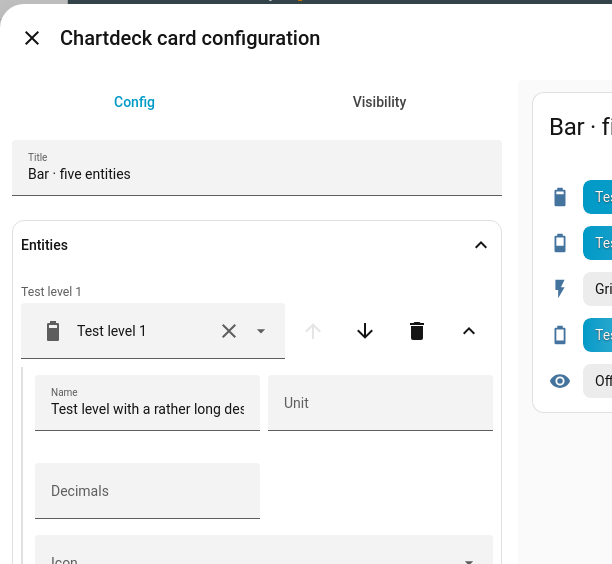
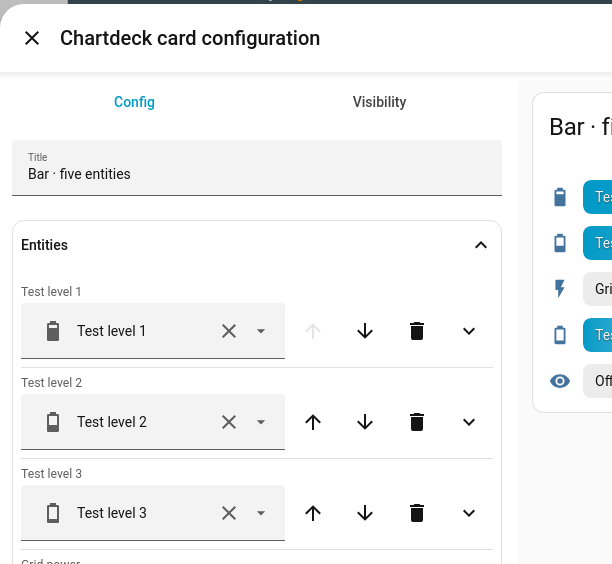
The list of entities the card shows. Use the picker at the bottom to add one, the arrows to reorder, the bin to remove, and the chevron on the right of a row to open that entity’s options.
Opened, a row shows Name, Unit, Decimals, Icon, Minimum, Maximum, Target, its own Colours and its own three actions. Anything set here overrides the card-wide setting for that entity only; anything left empty uses the card-wide setting. See Options.
Style
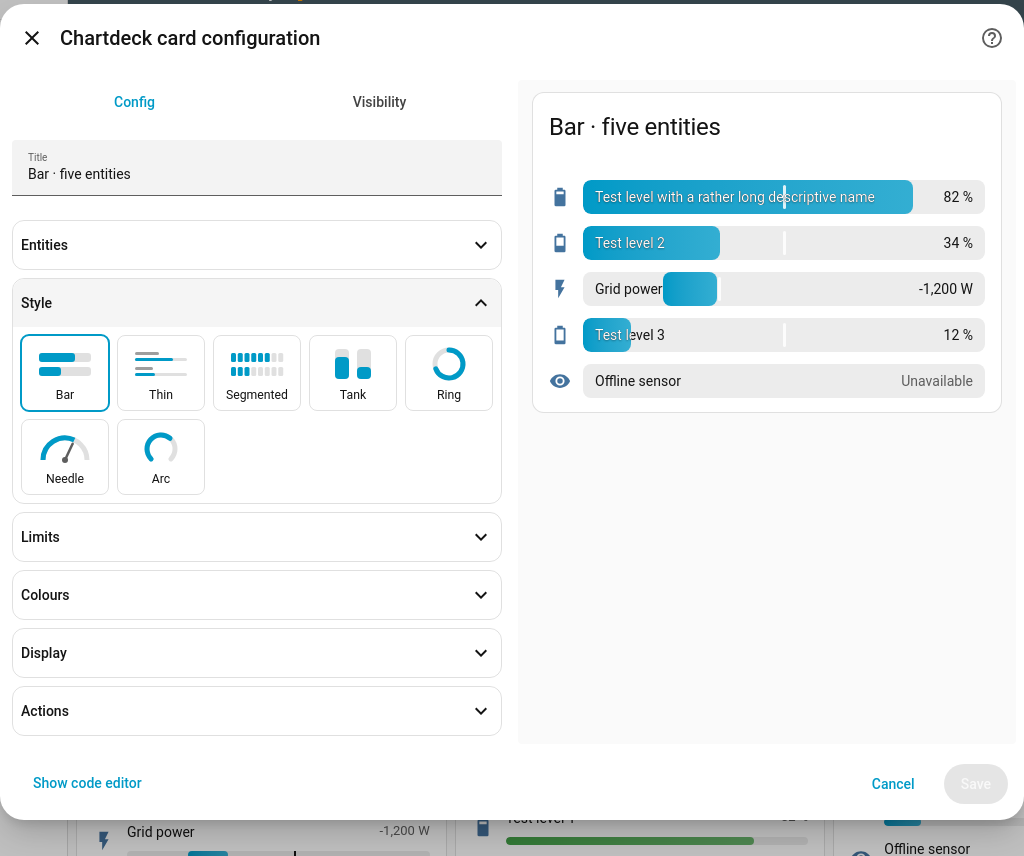
A picture button for each of the seven styles: Bar, Thin, Segmented, Tank,
Ring, Needle and Arc. The highlighted one is in use. Bar is the default, so
choosing it removes the style line from the YAML. See Styles.
Limits
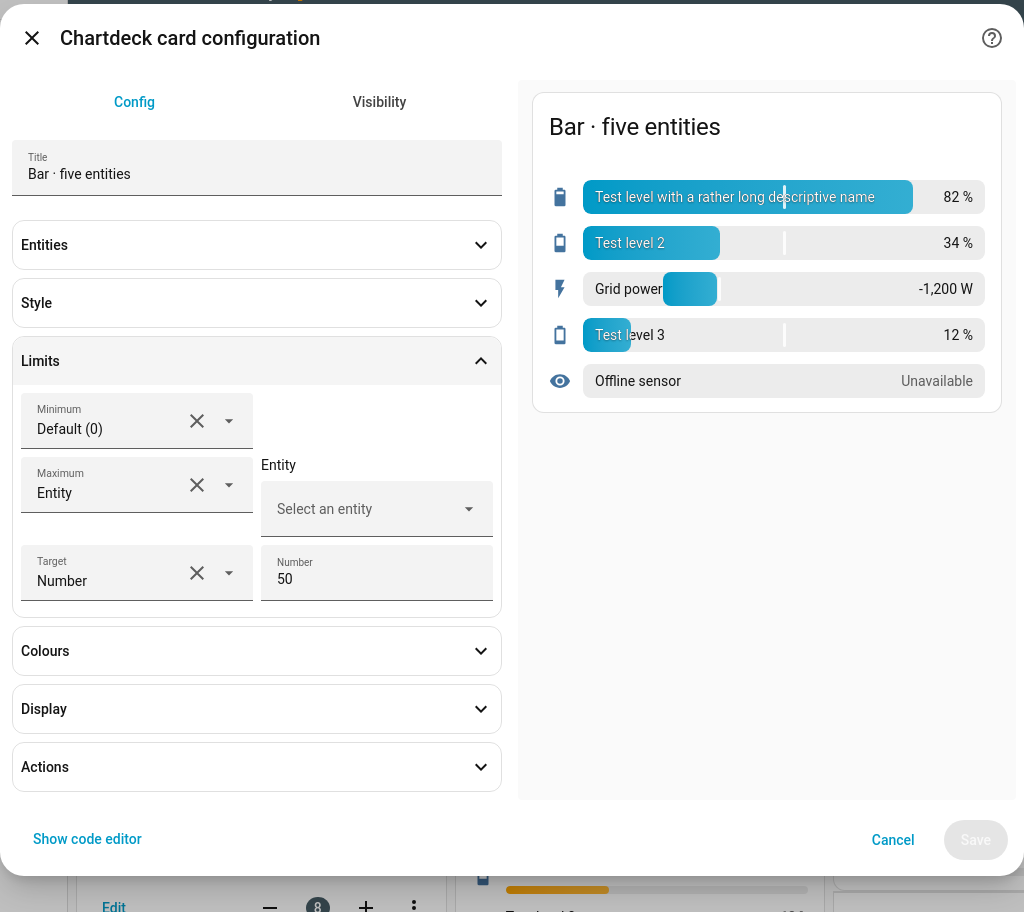
Minimum, Maximum and Target. Each has a drop-down:
- Default uses 0 for Minimum, 100 for Maximum and no marker for Target.
- Number shows a number field.
- Entity shows an entity picker, and the card follows that entity’s state.
Colours
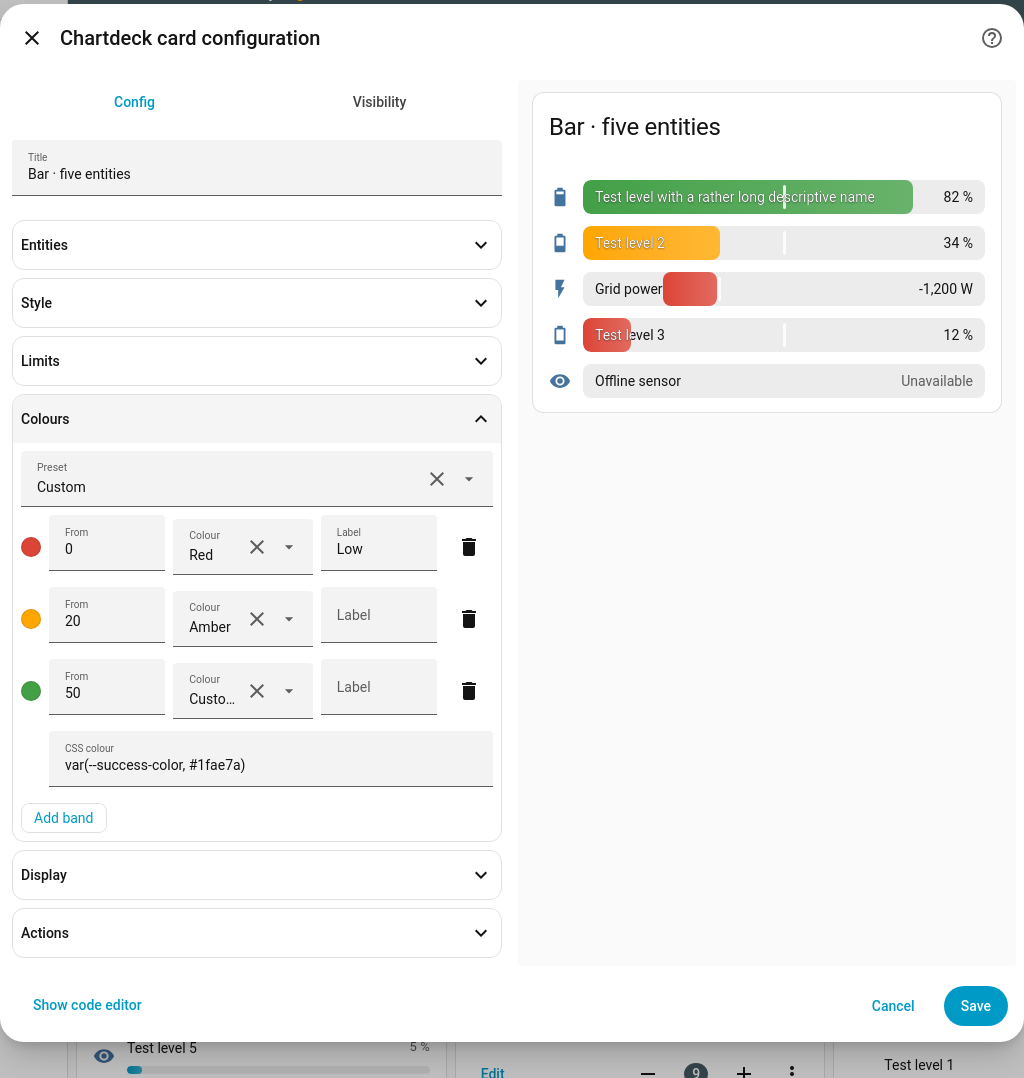
A Preset drop-down (Battery (low is bad), Usage (high is bad), Temperature, None), then one row per band with From, Colour and an optional Label. Add band adds a row. Choosing Custom… as the colour reveals a CSS colour field, filled in with the current colour; the band changes only when you type a new one. Editing a band by hand switches the preset to Custom. See Colour bands.
Display
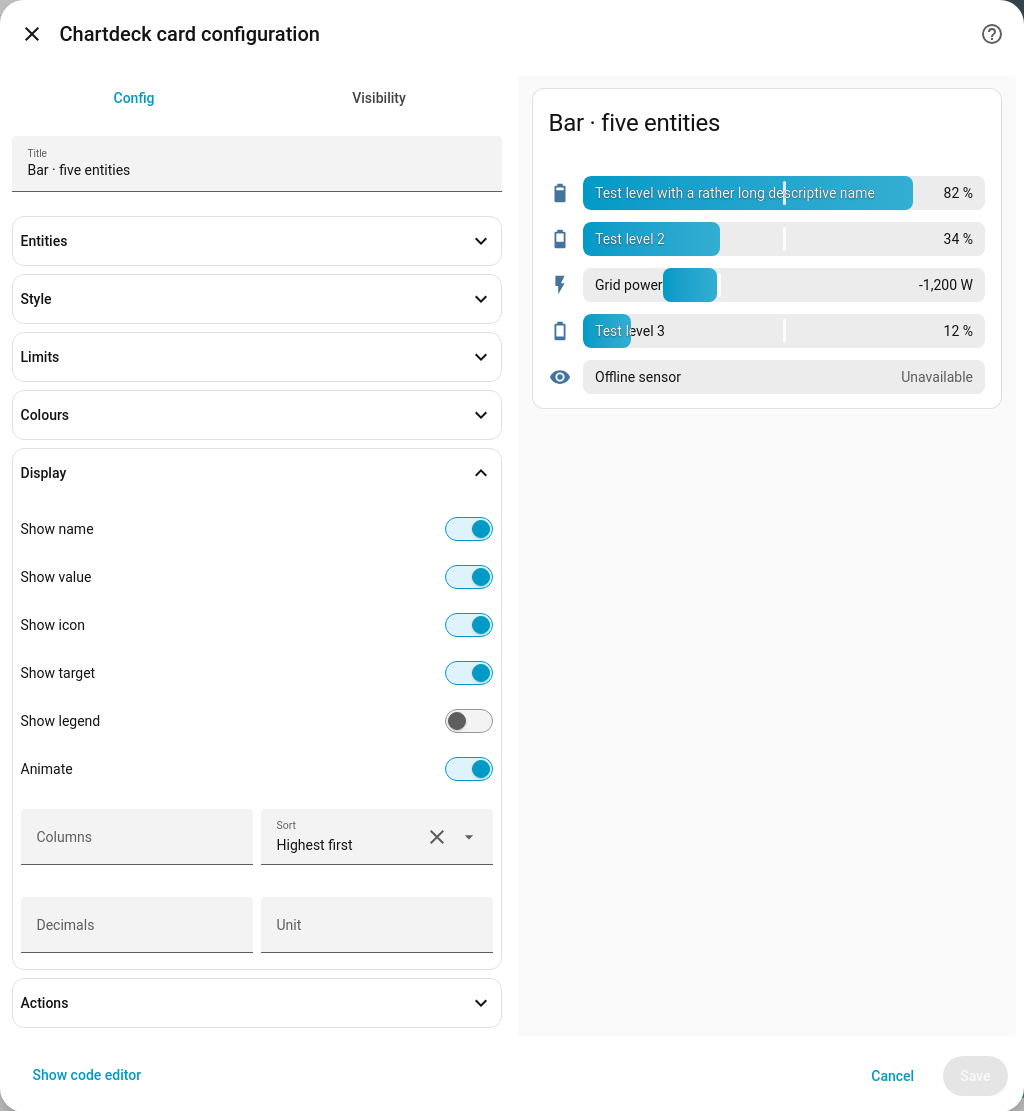
- Show name, Show value, Show icon, Show target, Show legend and Animate switches, one per row. Click the switch or its label.
- Columns: the most entities side by side; a narrow card uses fewer.
- Sort: As listed, Lowest first or Highest first.
- Decimals (0–20) and Unit: for every entity that does not set its own.
Actions
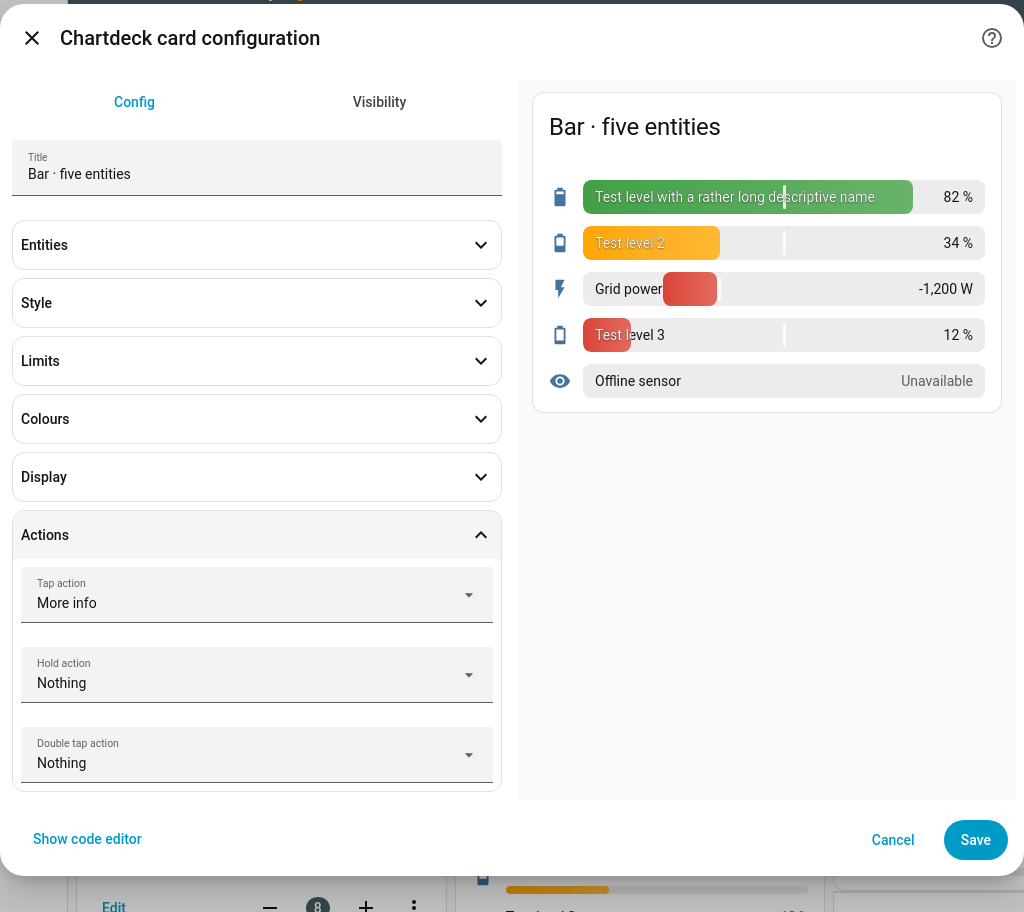
Tap action, Hold action and Double tap action, using Home Assistant’s own action picker. Defaults are more-info, none and none.
YAML and the editor always agree
Anything you set in the editor appears in the YAML, and the other way round. Settings that
equal their default (for example animate: true) are left out of the YAML rather than
written, so the code stays short. Keys the editor does not know about are kept untouched.
The full list of keys is on Options.