Segmented bar
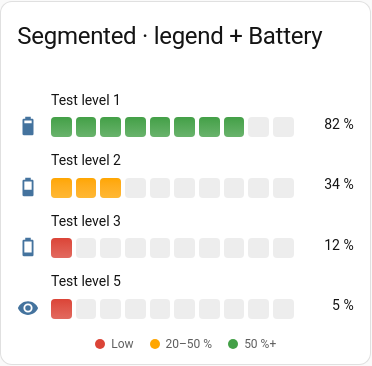
Ten rounded cells, lit up to the value. The lit cells take the colour of the band the current value is in. The target is shown as an outline around the cell it falls in. The cell count is fixed at 10.
Good for
Signal strength, fill levels.
Example
type: custom:chartdeck-card
style: segmented
title: Signal
entities:
  - entity: sensor.living_room_signal
    name: Living room
  - entity: sensor.bedroom_signal
    name: Bedroom
min: -100
max: -30
severity:
  - from: -100
    color: red
  - from: -80
    color: amber
  - from: -65
    color: green
To use this style, set style: segmented (or pick Segmented in the editor’s Style section).
Options that matter here
- The cell count is fixed at 10 in 1.0.
severitysets the colour of the lit cells, according to the band the value is in.targetoutlines the cell the target falls in.minandmaxset the scale; either can be another entity.
Layout: one row per entity. Every option is described on the Options page.
Previous: Thin · Next: Tank · All styles